
Multi-location aesthetic clinic management: 6 things your software must do
Opening a second branch is when spreadsheets, notebooks and Zalo groups stop keeping up. Here are the 6 things software must do for multi-location aesthetic clinic management, from one shared client record to side-by-side branch reports, plus a checklist for opening a new branch.
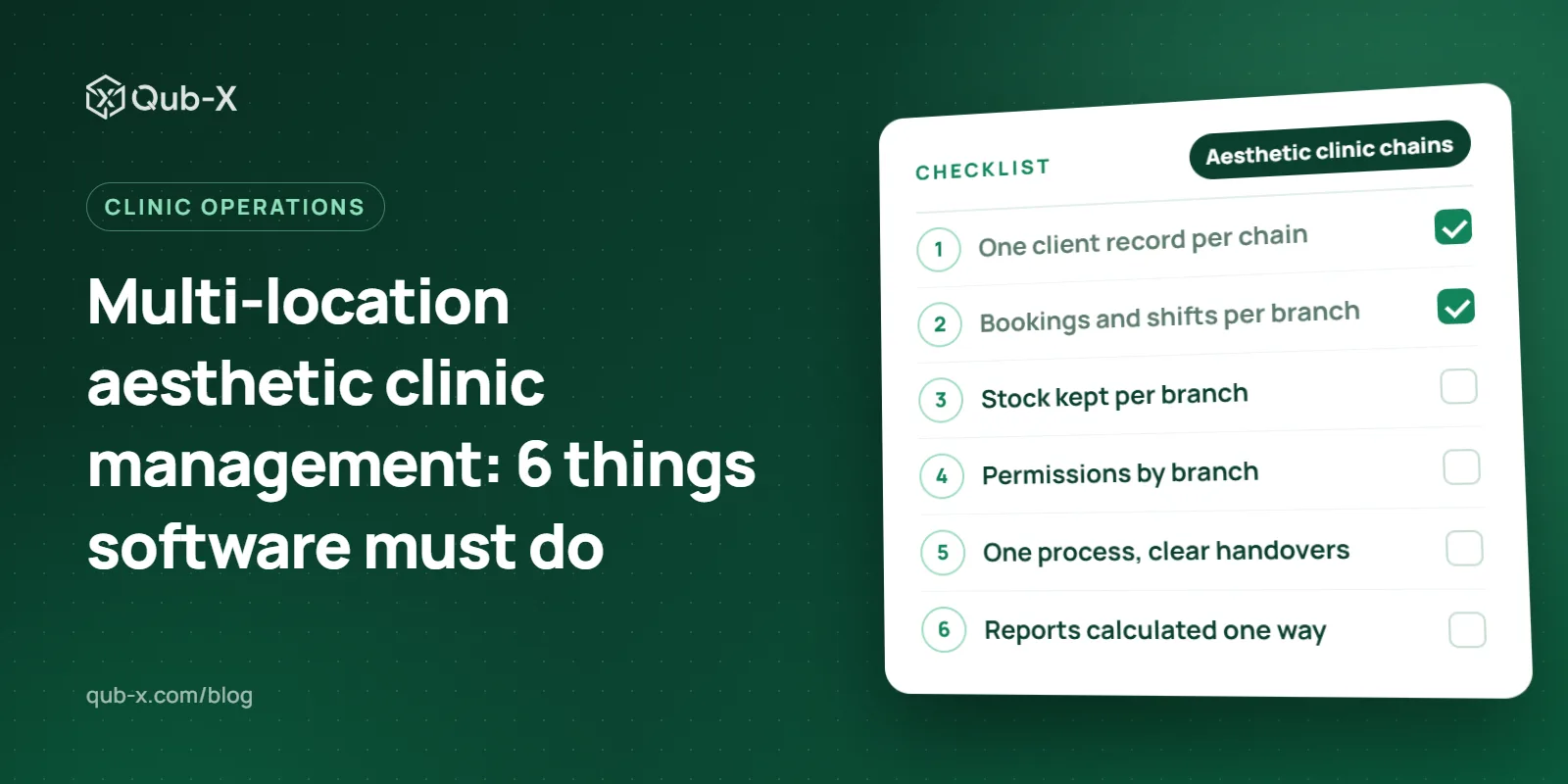
Multi-location aesthetic clinic management means keeping every branch working the same way and bringing the numbers into one place, while each branch still runs its own day. For that, software has to do 6 things: one client record for the whole chain, bookings and shifts per branch, separate stock with confirmed transfers, permissions by branch, one shared process, and reports calculated the same way everywhere. This article walks through each one, with a checklist for opening a new branch.
Opening another clinic branch: what gets messy first?
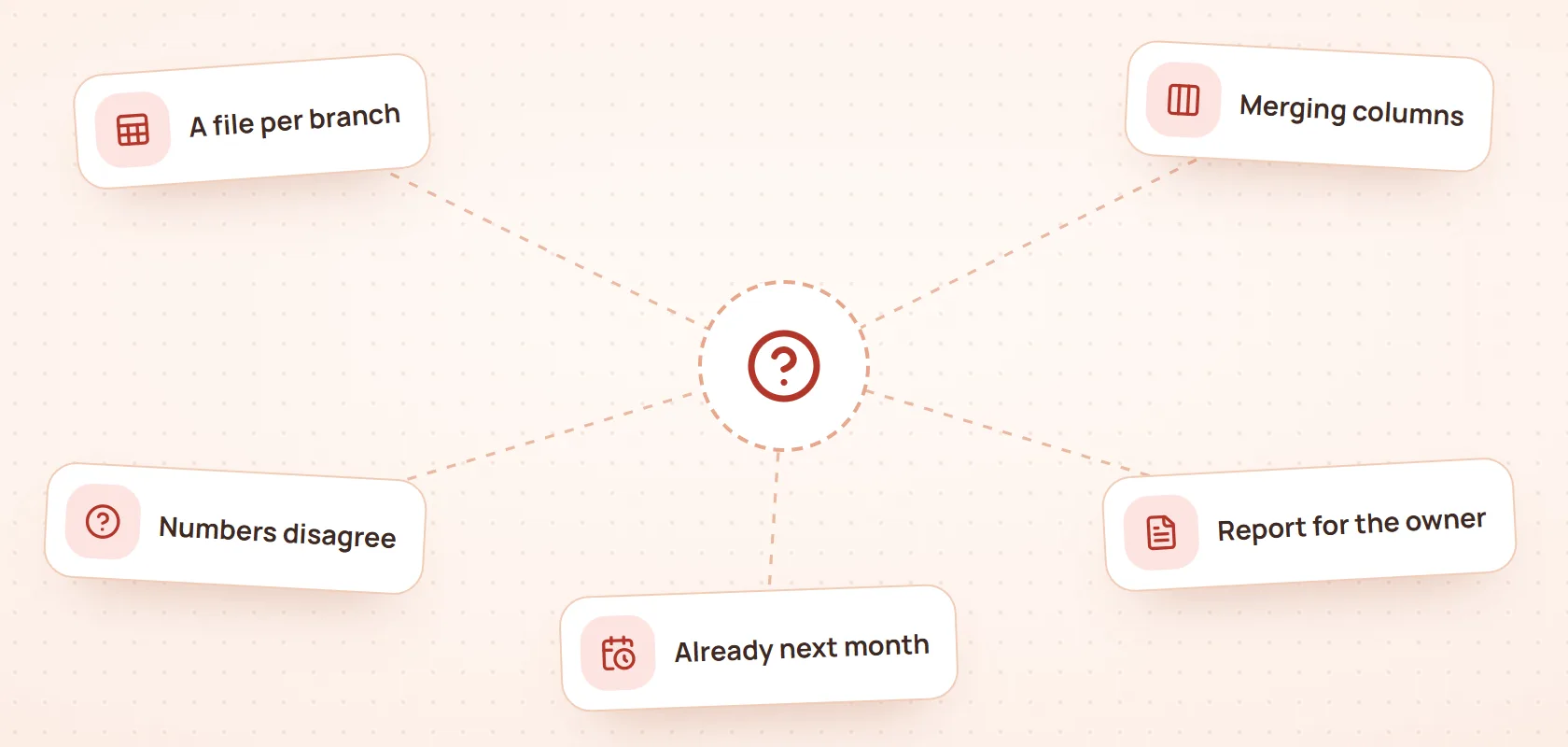
With one location, a clinic owner can stand at the front desk and see everything. From the second branch on, that no longer works, and the trouble tends to show up in this order:
Clients: a regular visits another branch, the front desk has no treatment history, and someone has to call round to ask how many package sessions are left.
Stock: goods move from one branch to another, the sender has deducted them but the receiver has not added them, and the monthly count does not match.
Staff: each branch records attendance and plans shifts its own way, and payroll means collecting notebooks at month end.
Process: the same service is consulted on, quoted and followed up differently at each branch.
Reports: each branch sends a spreadsheet, someone merges and fixes the columns, and the report reaches the owner after the month has ended.
Collecting figures from branches by hand often takes 2–3 days, so decisions rest on last month's numbers.
How is multi-branch clinic software different from single-site software?
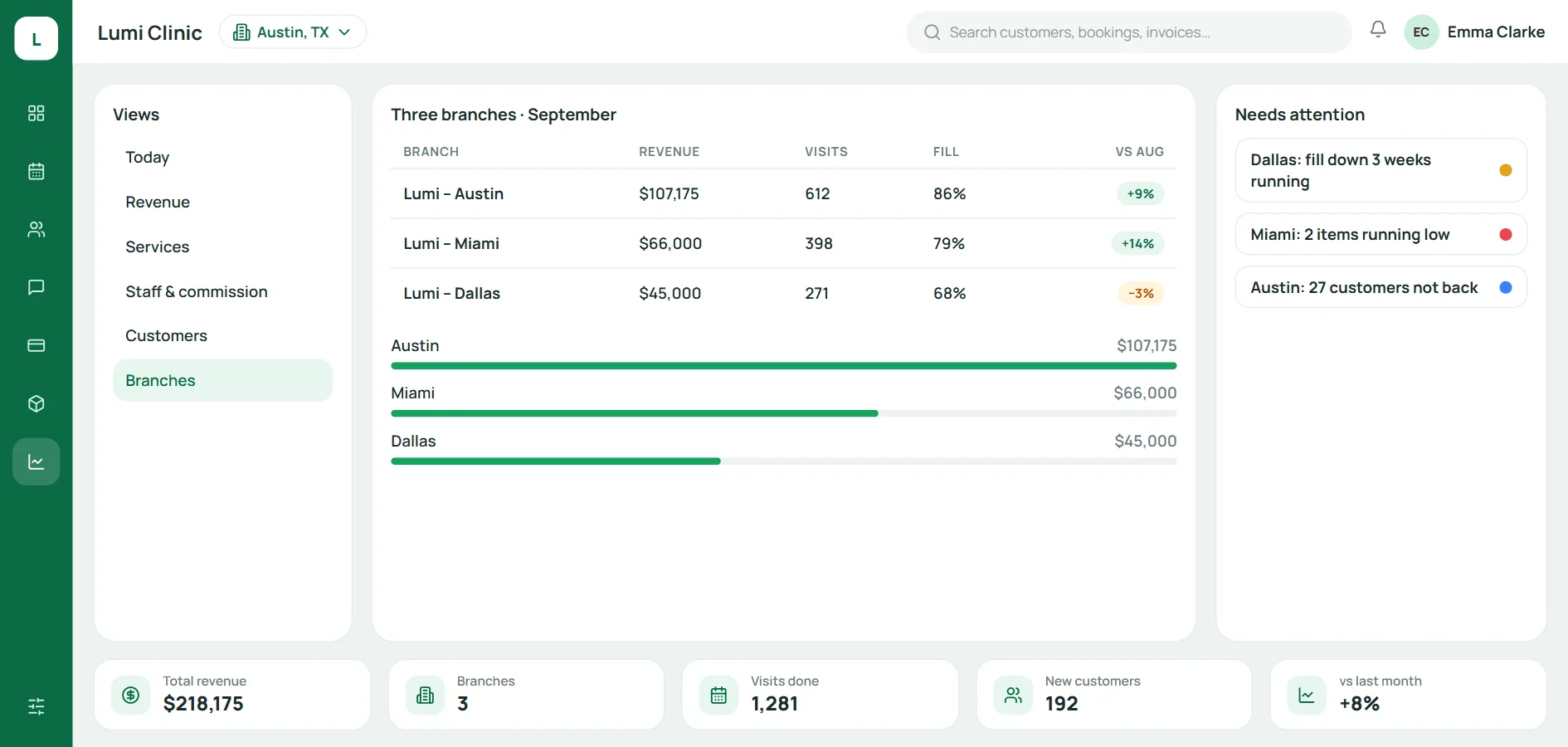
Software for a single site needs one calendar, one stock list and one staff list. Software for a clinic chain has to hold two things at once: what the whole chain shares, and what each branch keeps separate because it is responsible for it.
Shared across the chain | Kept per branch | |
|---|---|---|
Clients | Record, treatment history, packages bought | Who may see them, by role and branch |
Services, prices | Service list, supply usage per service | Local offers, if any |
Bookings | How bookings are made, appointment groups | Rooms, beds, machines, staff |
Stock | Product list, central warehouse | Stock levels, low-stock thresholds |
Staff | Common policies | Shift plans, timesheets |
Reports | How each metric is calculated | Each branch's figures, side by side |
If software simply "adds a branch" without separating these two layers, the chain drifts back to every branch running its own system. The six points below are what multi-location aesthetic clinic management needs on one system.
1. One client record for the whole chain
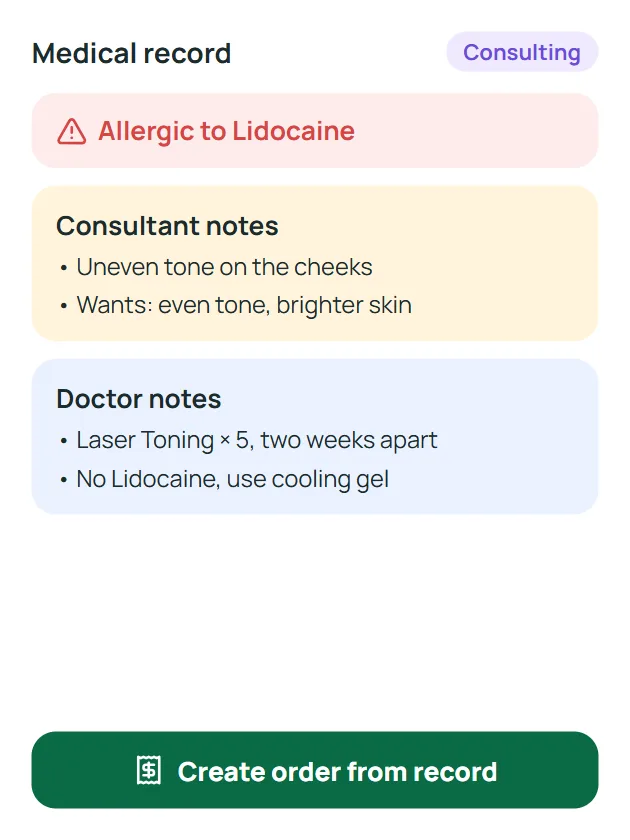
Clients do not think of themselves as clients of one branch; they are clients of the brand. When a client visits another branch, the front desk needs to see straight away: allergies, the doctor's notes, how many package sessions are left, the last treatment. Without that, the client has to start their story again, and the bigger risk is a missed allergy alert.
Software should keep one record per client, merge duplicates when a client messages from several channels, and control who sees what by role and branch. The chain should also decide whether a package bought at one branch can be used at another, and write that into its sales policy. Bringing scattered client data together is covered in our customer records management guide.
2. Bookings and shifts per branch
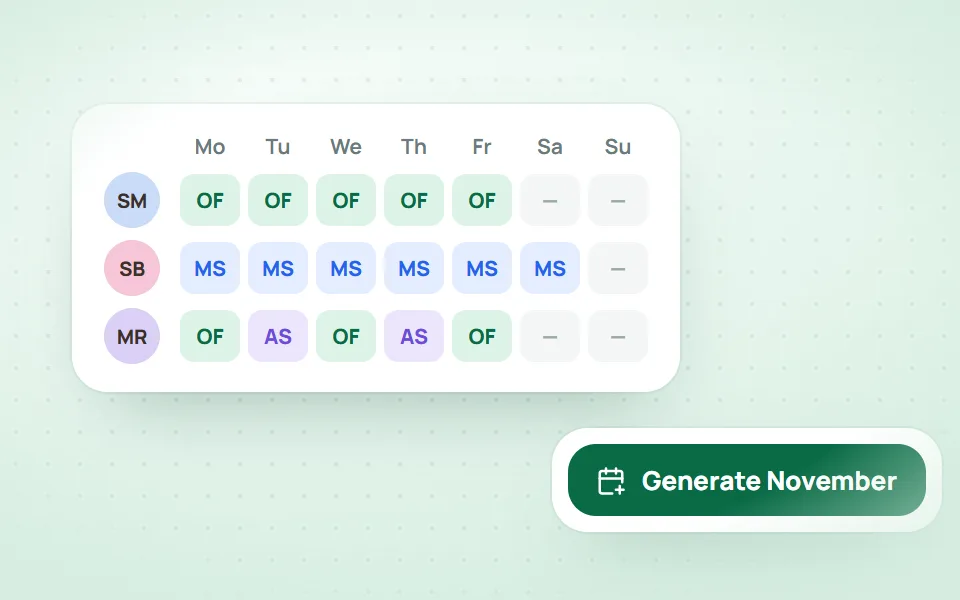
Each branch has its own rooms, beds, machines and staff, so a booking must be tied to a branch as soon as it is created. Consultants at a call centre or in a shared inbox can still book any branch, but the booking only goes into that branch's rooms and people. One calendar for rooms, beds and machines is covered in aesthetic clinic scheduling software.
Shifts work the same way: each branch has its own opening hours and shift policy. Software should generate the shift plan from each branch's policy, accept clock-ins only within the branch's radius, and give managers a branch timesheet without collecting notebooks. See aesthetic clinic time and attendance software.
3. Separate stock per branch, confirmed transfers
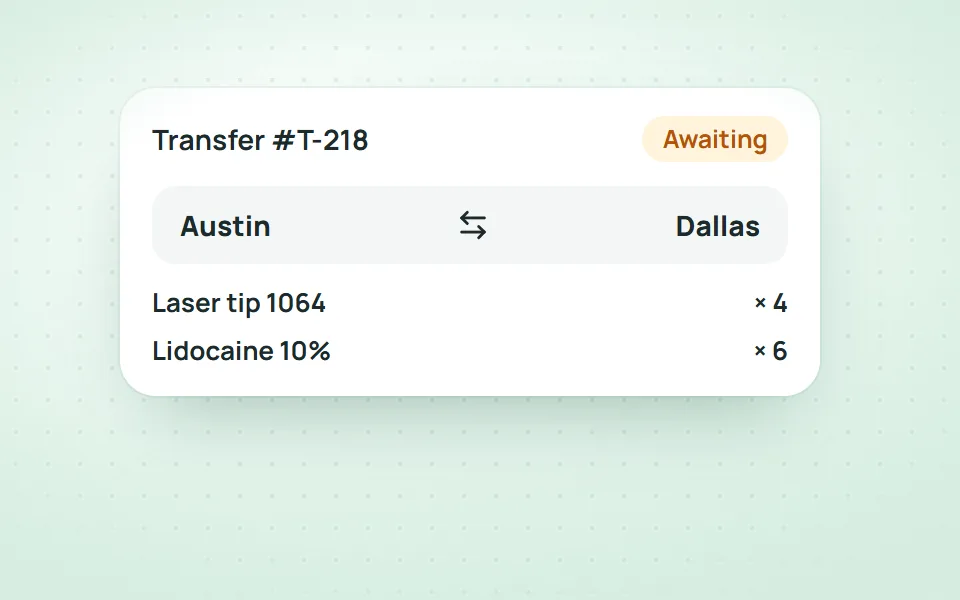
Stock is where a clinic chain loses money without anyone noticing. Each branch needs its own stock levels and low-stock thresholds, and supplies must be deducted from the stock of the branch that performed the service. Goods moving between branches must go through a transfer slip:
The sending branch creates a slip with the source branch, the destination branch and the quantities.
The goods stay "in transit" until the receiving branch confirms receipt.
Stock at both ends only changes once the receiver confirms, so nothing "disappears" on the way.
Slips nobody has confirmed are flagged, so they do not sit forgotten for days.
Managers see the central warehouse and every branch on one table, while each branch by default sees only its own stock and the central warehouse.
4. Permissions by role and by branch
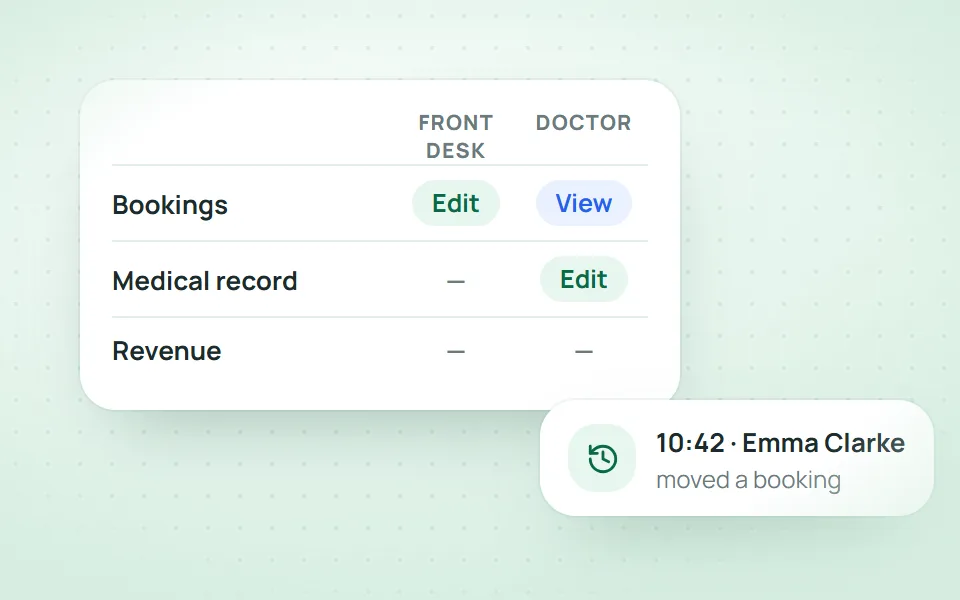
More branches means more accounts, and a greater need to be clear about who may do what. Permissions in a chain work in two directions:
By role: front desk edits bookings but cannot see medical records; doctors edit medical records; only managers see revenue.
By branch: branch managers see only their own branch's figures and staff; the chain owner sees everything.
Every action should go into a log: who did it, when, and what changed. When someone moves branch or leaves, their access should change or end the same day. Protecting client data is covered in aesthetic clinic customer data security and permissions.
5. One process, clear handovers
Clients experience the brand through each consultation and each message. If every branch answers and quotes in its own way, the brand changes from address to address. Software helps keep one process by letting you:
Share one service list, price list and supply usage per service across the chain.
Give each branch its own set of quick replies, built on a common frame.
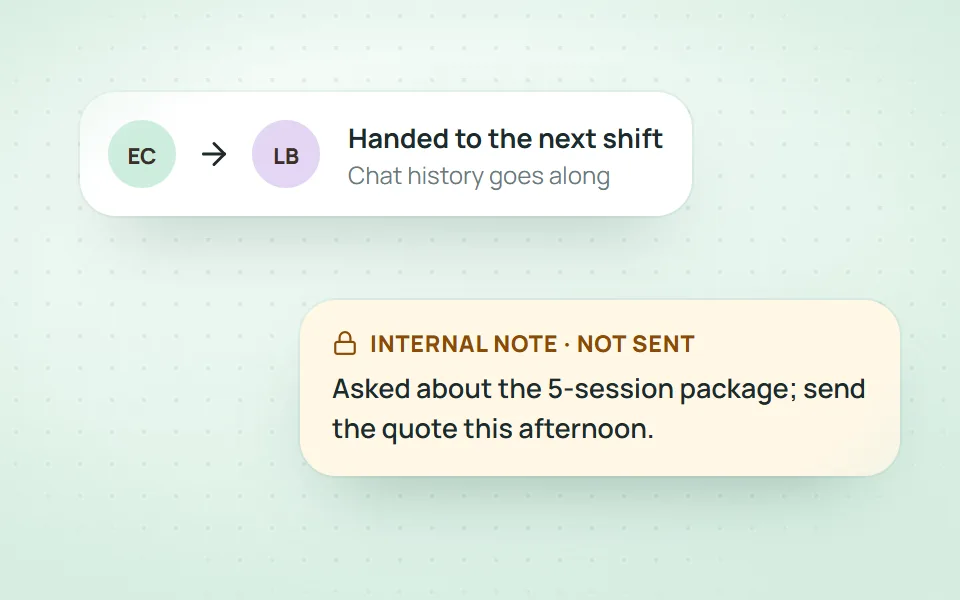
Hand a conversation over between shifts or branches with the chat history attached, plus internal notes the client never sees.
Set the same aftercare follow-up points for each service group.
Software can only hold a process that has been written down. Aesthetic clinic operations process has an SOP checklist to start from.
6. Reports calculated one way for every branch
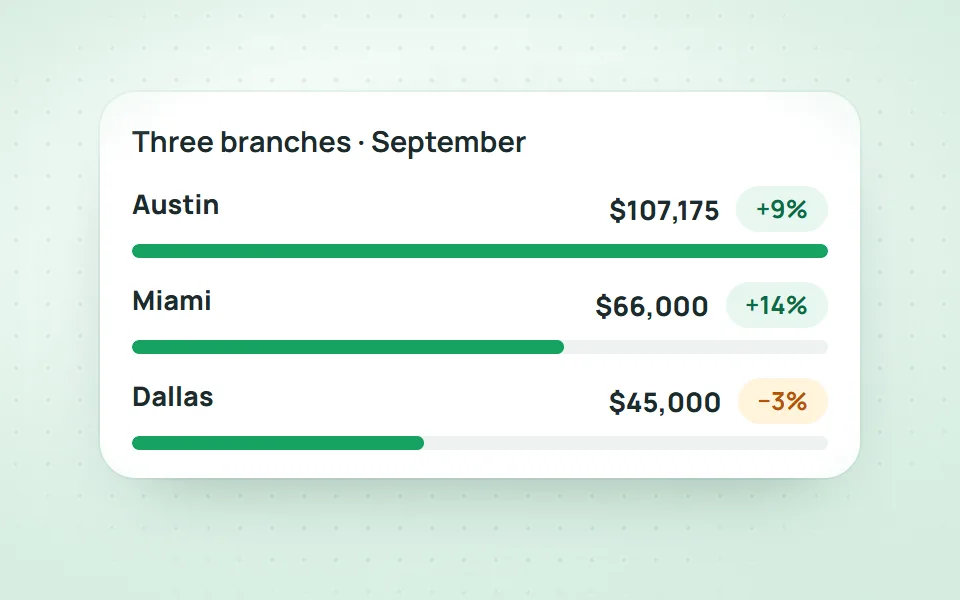
Comparing branches only means something when every branch calculates its metrics the same way. If branch A counts revenue when an order is created and branch B when it is paid, the gap between them says nothing. A chain needs software that offers:
One definition per metric for every branch: revenue as money actually collected, fill rate, returning clients.
Figures for any period and branch at a click, without merging spreadsheets.
Branches side by side on the same metric, with the change against the previous period.
Pointers to what needs attention, such as a branch whose fill rate has dropped for several weeks.
Which metrics to read, and how, is covered in 7 management KPIs to track and the revenue report guide.
Checklist before opening a new branch
In multi-location aesthetic clinic management, the software should be set up before the new branch opens, not after the first clients arrive:
Add the branch: address, opening hours, floors, rooms, beds and machines.
Open the branch's stock, enter opening quantities and set low-stock thresholds.
Create accounts by role and attach them to the right branch.
Set the branch's shift policy and clock-in radius.
Check the shared service list, prices and supply usage per service.
Add the branch to the online booking page and the quick-reply set.
Set revenue and visit targets for the first 3 months and review the report every week.
Qub-X for aesthetic clinic chains
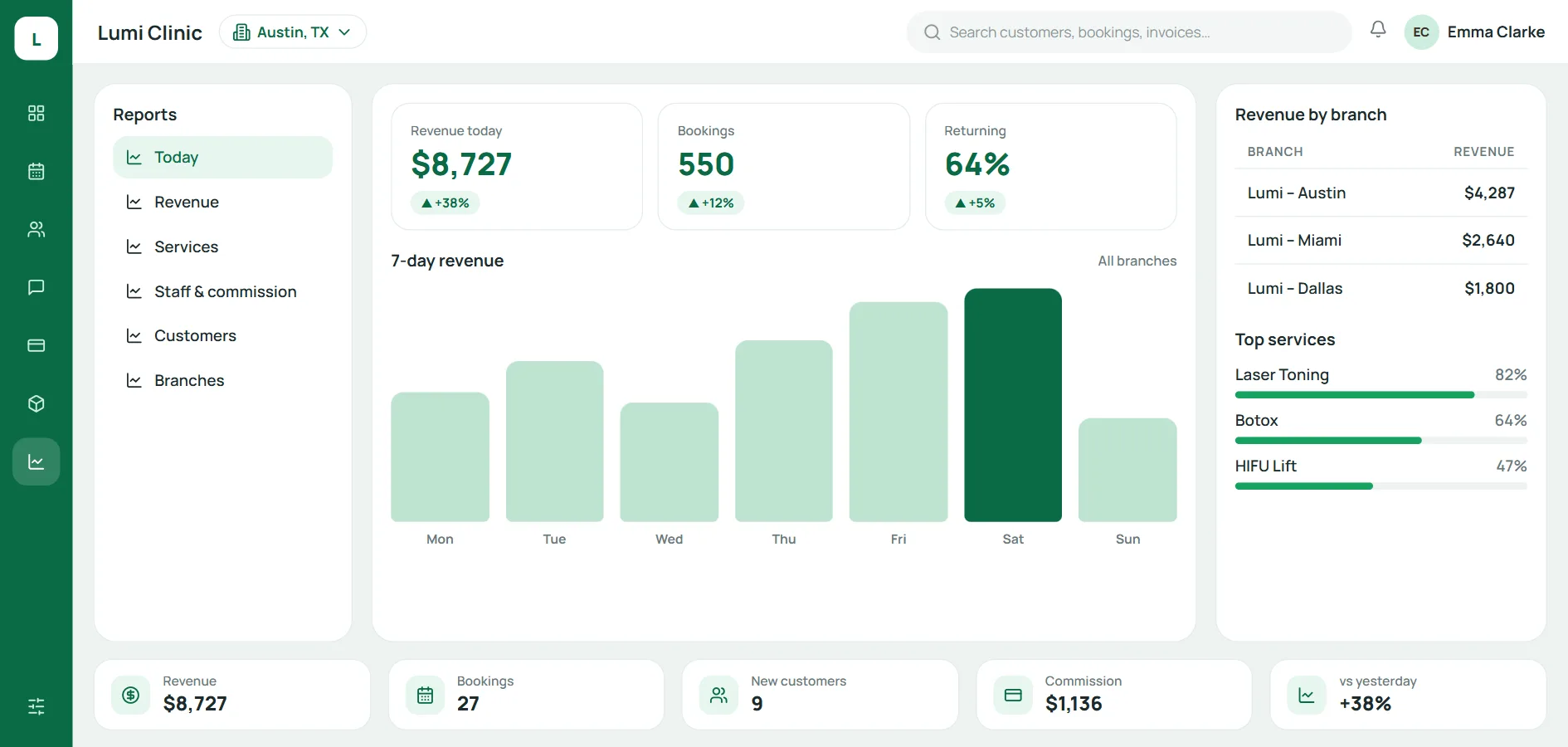
Qub-X is aesthetic clinic management software for aesthetic and dermatology clinics, from a single site to a chain of branches. The chain owner sees the overview, while each team works only within its own branch and role:
Clients: one record with packages, treatment history, invoices and conversations; duplicates merged; access by role and branch.
Scheduling: each branch sets up its floors, rooms and machines; every booking picks a branch when it is created.
Inventory (the separate Inventory module, an add-on or included in the Customizing plan): central and branch stock on one table; transfers update stock only when the receiver confirms.
Staff (the HRM module, an add-on or included in the Customizing plan): shift plans generated from each branch's policy, with face or phone clock-ins.
Permissions: ready-made or custom roles, access switched on per module and per branch, and a log of who did what.
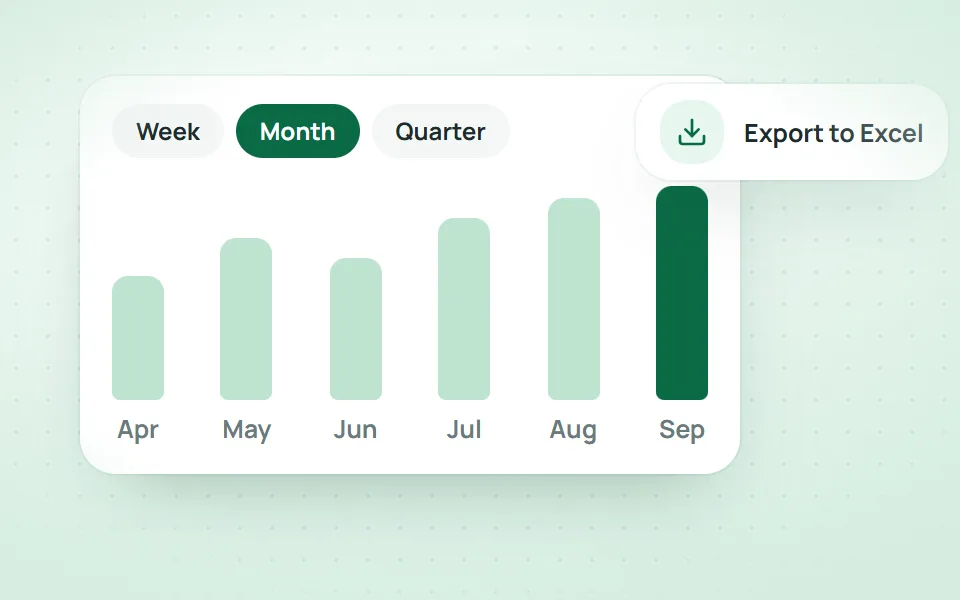
Reports: one definition per metric for every branch, figures for any period and branch, and export to Excel in one click.
Qub-X runs every day at an aesthetic clinic chain with 3 branches, about 500 staff and more than 3,500 bookings a month.
Frequently asked questions
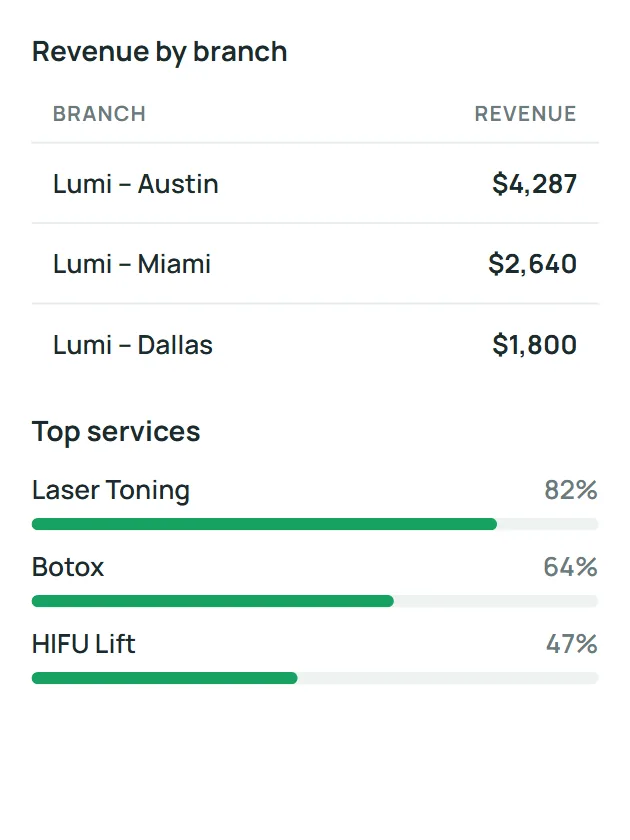
Can several branches run on one system? Yes. With Qub-X, the whole chain uses one system: the owner sees the overview, while each team works only within its own branch and role.
Can branches see each other's stock? It depends on permissions. By default each branch sees its own stock and the central warehouse, while managers see every location.
Can a branch manager see the whole chain's revenue? It depends on the role. Reports can be limited by branch, so a branch manager sees only their own branch's figures.
When should a clinic move to multi-location software? Before opening the second branch. Moving one site's data is far easier than merging data from several branches that have run separately.
Conclusion
Multi-location aesthetic clinic management is not copying the first branch; it is deciding clearly what is shared and what stays separate. Check the six points above against your current system before opening the next branch. Book a Qub-X demo to see how a 3-branch chain runs on one system, or try it for 7 days.
Related articles
All articles on Clinic operations- Clinic operations
How to calculate aesthetic clinic therapist commission: 4 models with examples
Aesthetic clinic therapist commission that is wrong or late can drive good therapists away. Here are 4 commission models, worked examples and how to build a transparent commission statement.
- Clinic operations
How to Compare CRM Software: A 12-Criteria Scorecard for Aesthetic Clinics
A 12-criteria scorecard to compare CRM software for aesthetic clinics using real tasks in the demo, with how to set weights and an example scoring three products.
- Clinic operations
Moving Client Data from Excel to a CRM: 6 Steps Without Losing a Number
6 steps to move client data from Excel to a CRM for an aesthetic clinic: gather files, remove duplicates, map columns, run a test import, check three totals and lock the old file.