
Features Inventory management

Stock per branch, with a shared warehouse to allocate from

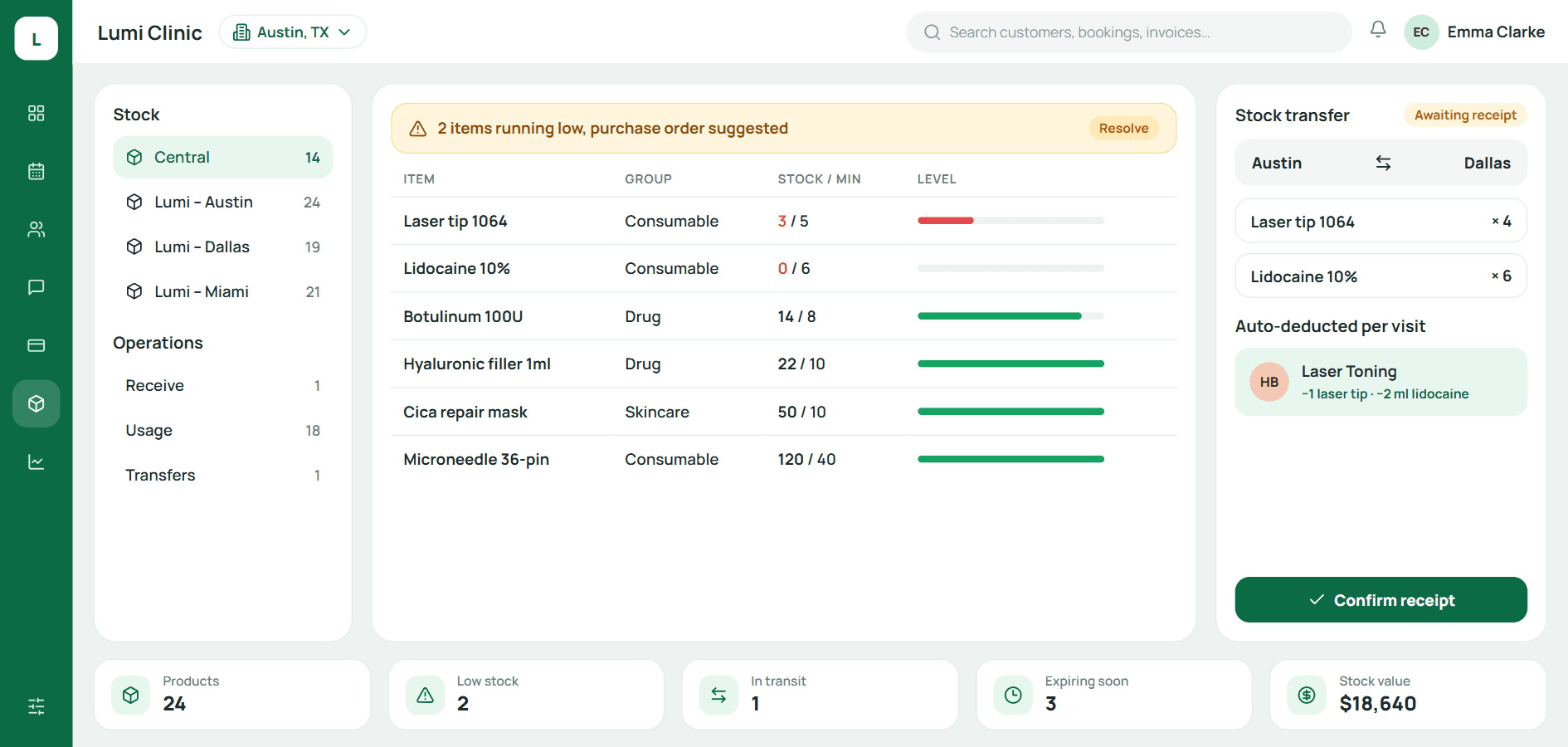
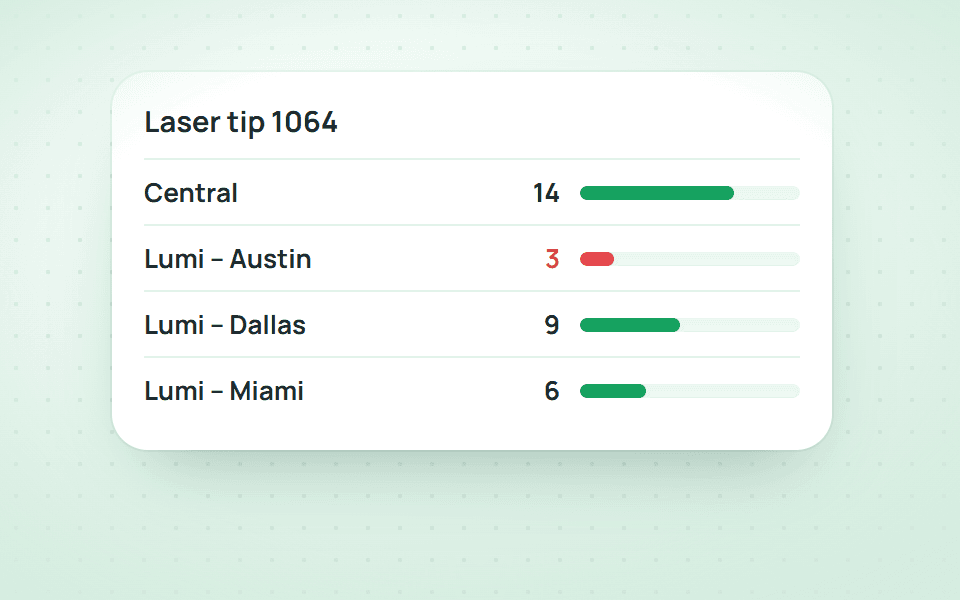
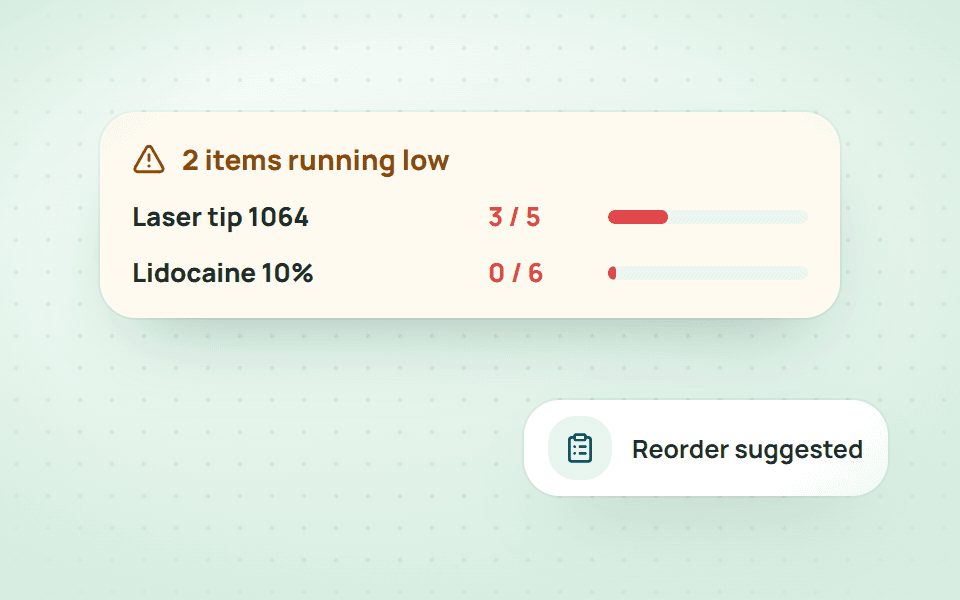
How much of product A sits in the shared warehouse and how many each branch has left, one line tells you. Receiving, usage, transfers and history on one screen; low stock is flagged at the top.

  • Stock per branch, with a shared warehouse
  • Receive · use · write off · transfer
  • Low-stock alerts
  • MISA integration
Inventory in Qub-X CRM
Low-stock alert
Alert for two items running low
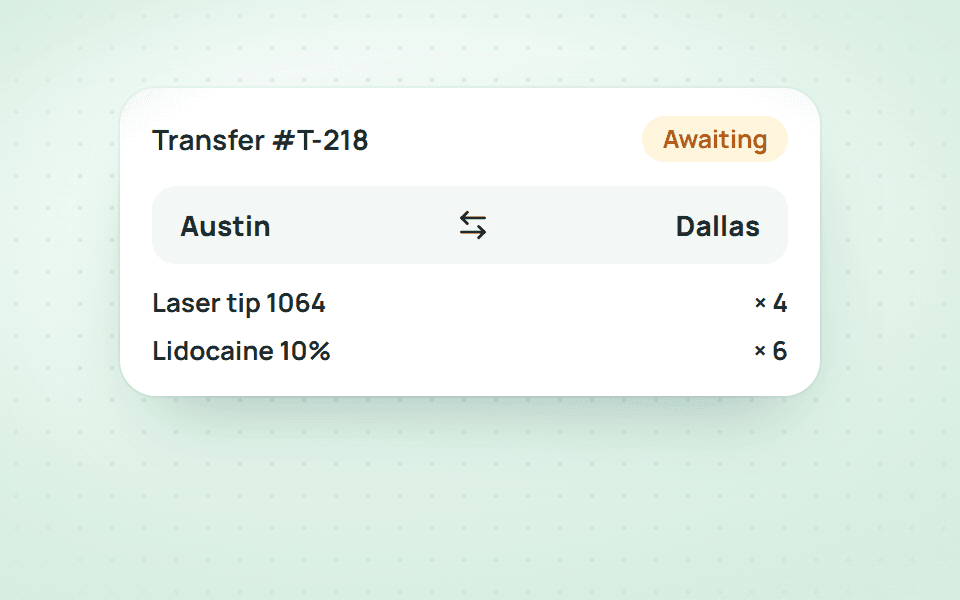
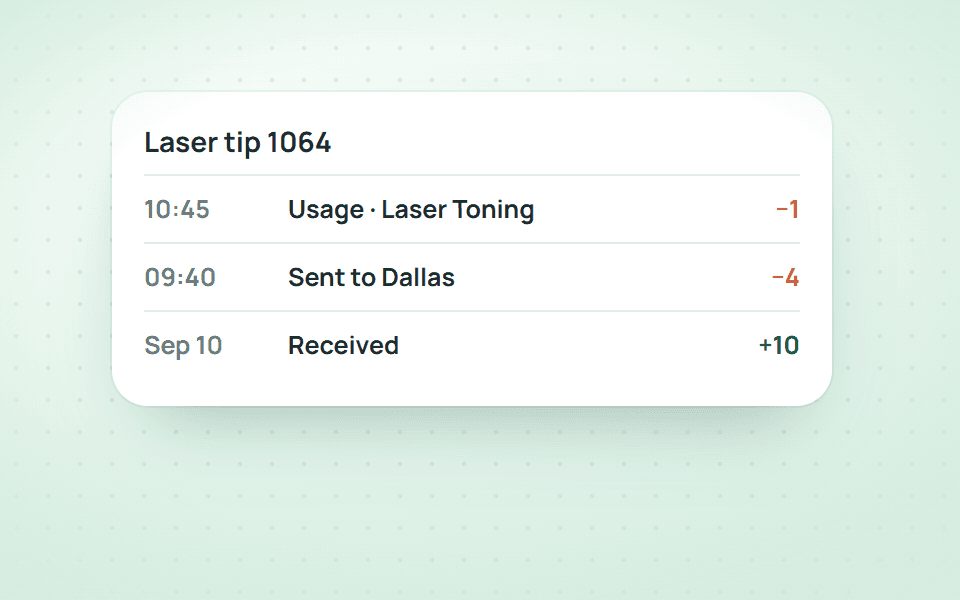
Transfer note
Transfer note from Austin to Dallas and per-visit deduction

Versus the old way

Moving 20 boxes from the warehouse to the Dallas branch: 3 spreadsheets → 1 transfer.

Create the transfer, the receiving branch clicks Confirm receipt. Stock on both sides updates itself and history records who sent, who received and when.

  • Fewer stepsOne slip covers sending and receiving; no two people editing two files.
  • Stock that is rightAn unconfirmed transfer shows a warning at the top of the page until it is done.
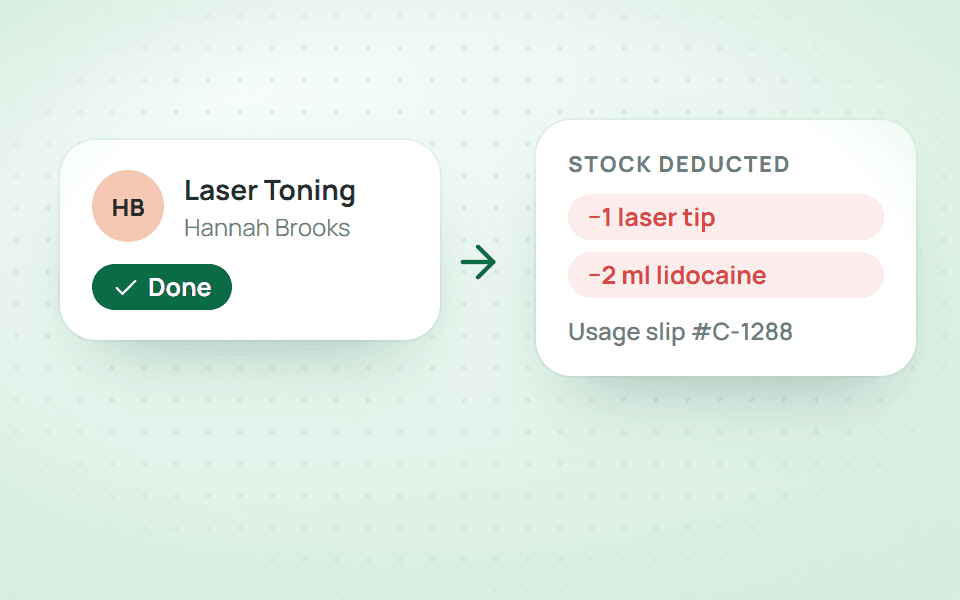
  • No manual usageSet material norms per service once; every finished visit deducts stock by itself.

The usual way

  1. 1Warehouse edits its Excel to subtract
  2. 2Message the branch on Zalo
  3. 3Branch edits its own file to add
  4. 4Month-end count shows a gap
  5. 5Go looking for who forgot

3 files, 2 people, a gap with no origin

With Qub-X

  1. 1Create the transfer, pick items and quantities
  2. 2Receiving branch clicks Confirm receipt

1 slip, both sides agree

The problem

When you find out you are out of stock, the customer is already on the bed.

Each branch has its own spreadsheet, the warehouse another. Nobody records what was used, so the count shows a shortage and nobody knows whether it was usage or loss.

  • No view of what each branch still has
  • Materials used in visits never deducted
  • Batches sent that the other side never confirmed
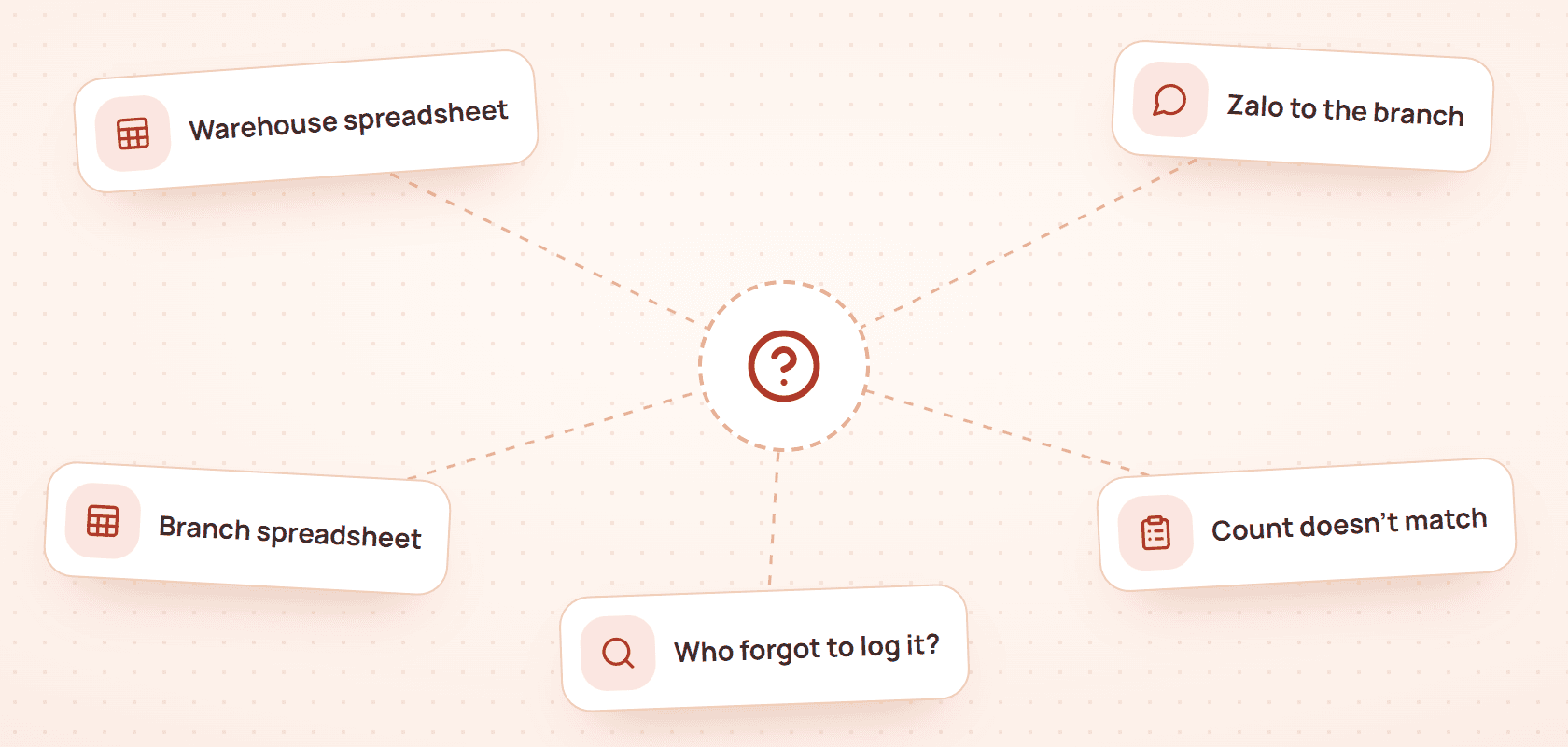
The usual way

  1. 1Warehouse edits its Excel to subtract
  2. 2Message the branch on Zalo
  3. 3Branch edits its own file to add
  4. 4Month-end count shows a gap
  5. 5Go looking for who forgot

3 files, 2 people, a gap with no origin

What stands out

When you open inventory, you see every branch and the shared warehouse on one table.

Current stock against the minimum, cost, sale price, expiry. Items below minimum are flagged red and counted at the top. Branch transfers move through Draft → Transferring → Complete.

  • Stock per branch, warehouse kept separate
  • Low-stock and unconfirmed-batch warnings at the top
  • Suppliers and receiving slips tied to each batch

Saves logging usage

When a visit finishes, stock is deducted by the service's norm.

Set the materials for each service once (Ultherapy tip, lidocaine, needles…). From then on every completed appointment creates a usage slip tied to the customer and visit. Analytics shows net usage, daily average and days of stock left.

3 files, 2 people, a gap with no origin1 slip, both sides agree
  • Usage tied to appointments, traceable both ways
  • Analytics: net usage, shrinkage, days left
  • Receiving slips synced to MISA

Easy to use

When you need to know where a box went, the history shows every step.

Every receipt, issue, manual adjustment and transfer is one line: date, item, quantity, stock before → after, reason and who did it. Filter by In, Out, Adjust, Return.

  • One line per movement, with the person
  • Filter by type, search by item
  • Excel export for reconciliation with accounting

Three questions stock managers ask

Can branches see each other's stock?
Depends on permissions. By default a branch sees its own stock and the warehouse; managers see everything.
What about services without a norm yet?
Stock is not deducted for them, and Analytics shows how many services still need norms so you can add them over time.
Can stock be adjusted by hand?
Yes, but manual adjustments are flagged and excluded from net usage so they do not distort the analysis.

BOOK A DEMO

See how Qub-X fits the way your clinic works.

Share how your clinic operates. The Qub-X team will prepare a demo focused on your workflow and needs.

A 30-minute demo based on a real clinic scenario
Focus on the features you care about
No commitment required after the demo

Your demo can focus on

SchedulingInboxPaymentsReports
Which areas do you want to review?

The Qub-X team will contact you to confirm a suitable time.