
Aesthetic clinic scheduling software: one calendar for rooms, beds and staff
When bookings live in a notebook, Zalo and everyone's memory, double-booked rooms and missed clients happen every week. Here is what aesthetic clinic scheduling software should do: one calendar for rooms, beds, machines and staff, instant clash alerts, booking inside chats and a live view of the day.
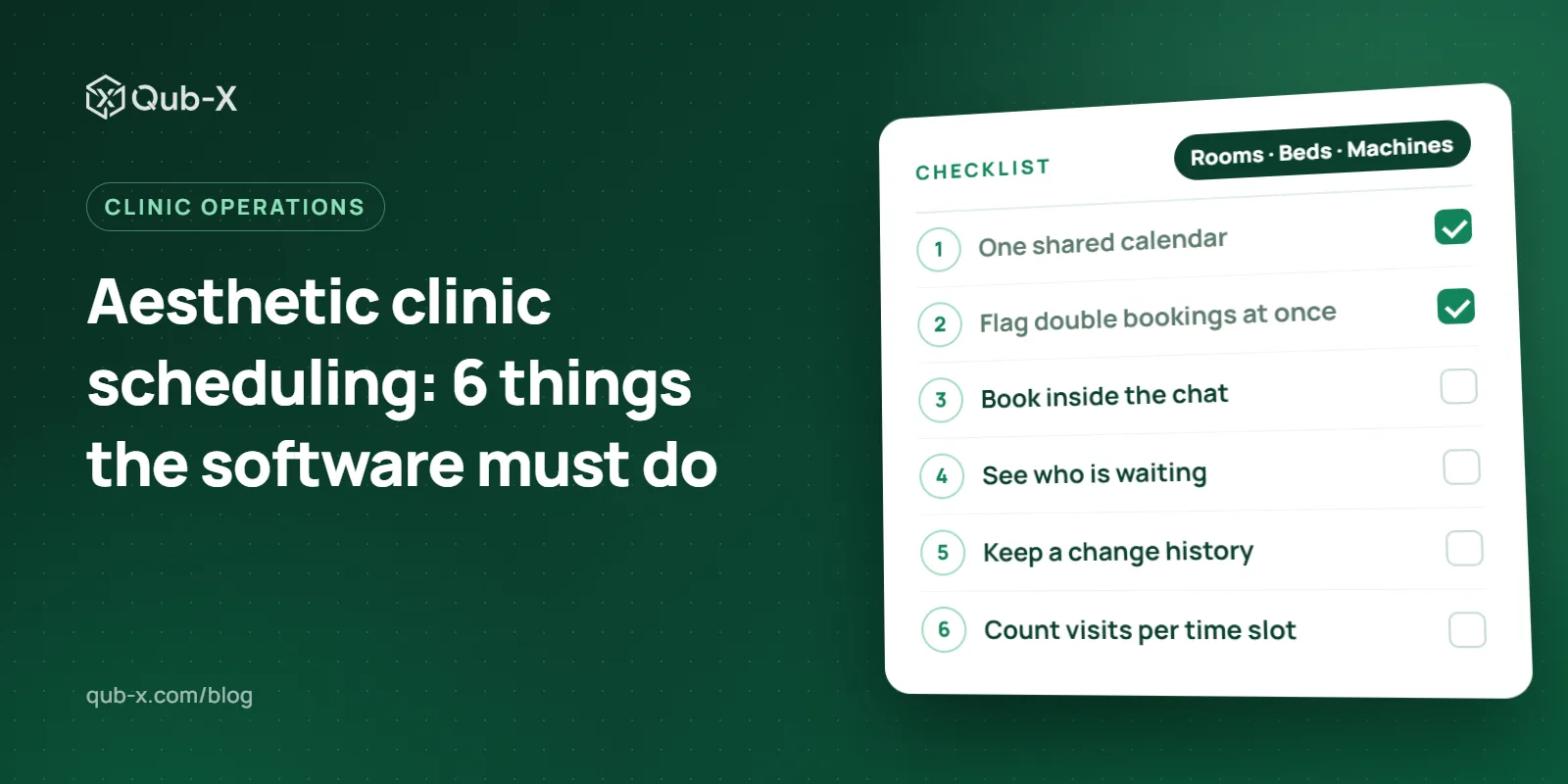
Aesthetic clinic scheduling software puts rooms, beds, machines, doctors and therapists on one calendar, so the front desk can book a client without asking around who is free or which room is empty. With every booking in one place, a room clash is flagged the moment it is made, bookings closed on Zalo land straight in the system, and managers can see which client has been waiting too long. This article covers what scheduling software should do, how to choose one, and how Qub-X handles it.
Why aesthetic clinic bookings clash and clients slip through
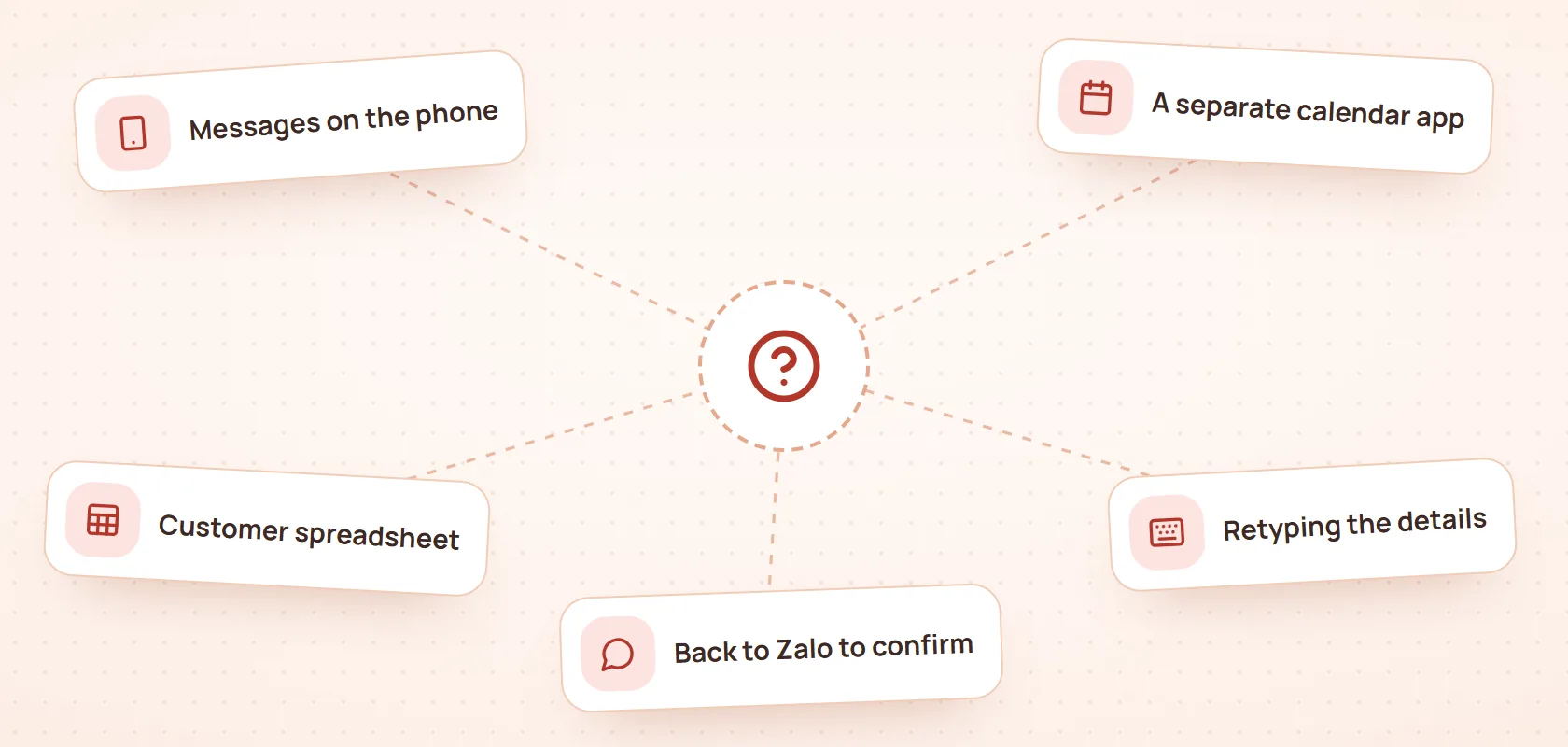
In many clinics, bookings live in three places: the notebook at the front desk, the consultants' Zalo and Messenger chats, and the memory of each doctor and therapist. Each holds part of the picture; none holds all of it. Anyone who has worked the front desk knows the results:
Two clients booked into the same room or machine, discovered only when both arrive.
A client texts to move a booking, nobody updates the notebook, and the therapist waits.
A client asks for a slot during a rush, and the consultant forgets to pass it on.
A cancelled booking still holds its slot, so the free time is never resold.
Managers cannot tell which hours are full and which are quiet enough for a promotion.
The problem is rarely whether staff are careful. It is that information has to be copied between places, and every copy is another chance for a mistake.
What is aesthetic clinic scheduling software?
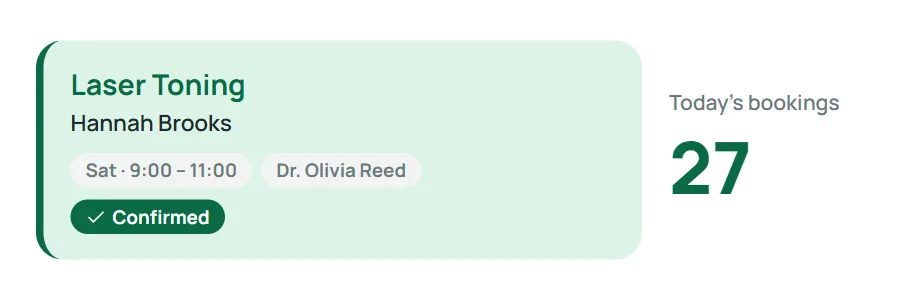
Aesthetic clinic scheduling software is where all of a clinic's bookings live: which client, which service, who performs it, in which room, bed or machine, at what time, and in what status. Unlike a personal calendar such as Google Calendar, each booking is tied to the client record, the service, treatment packages and payments.
Notebook, spreadsheet, personal calendar | Clinic scheduling software | |
|---|---|---|
Seeing free rooms and machines | Ask around, open several files | One calendar, filtered by room |
Double-booked rooms | Found when clients arrive | Flagged when booking |
Bookings closed in chats | Copied by hand | Created inside the chat |
Moved times, changed staff | Overwritten, nobody knows who changed it | Kept in a change history |
Client details at check-in | Looked up in another file | Notes and history on the booking |
Visits per time slot | Counted by hand at day's end | Shown beside the calendar |
One calendar for rooms, beds, machines and staff
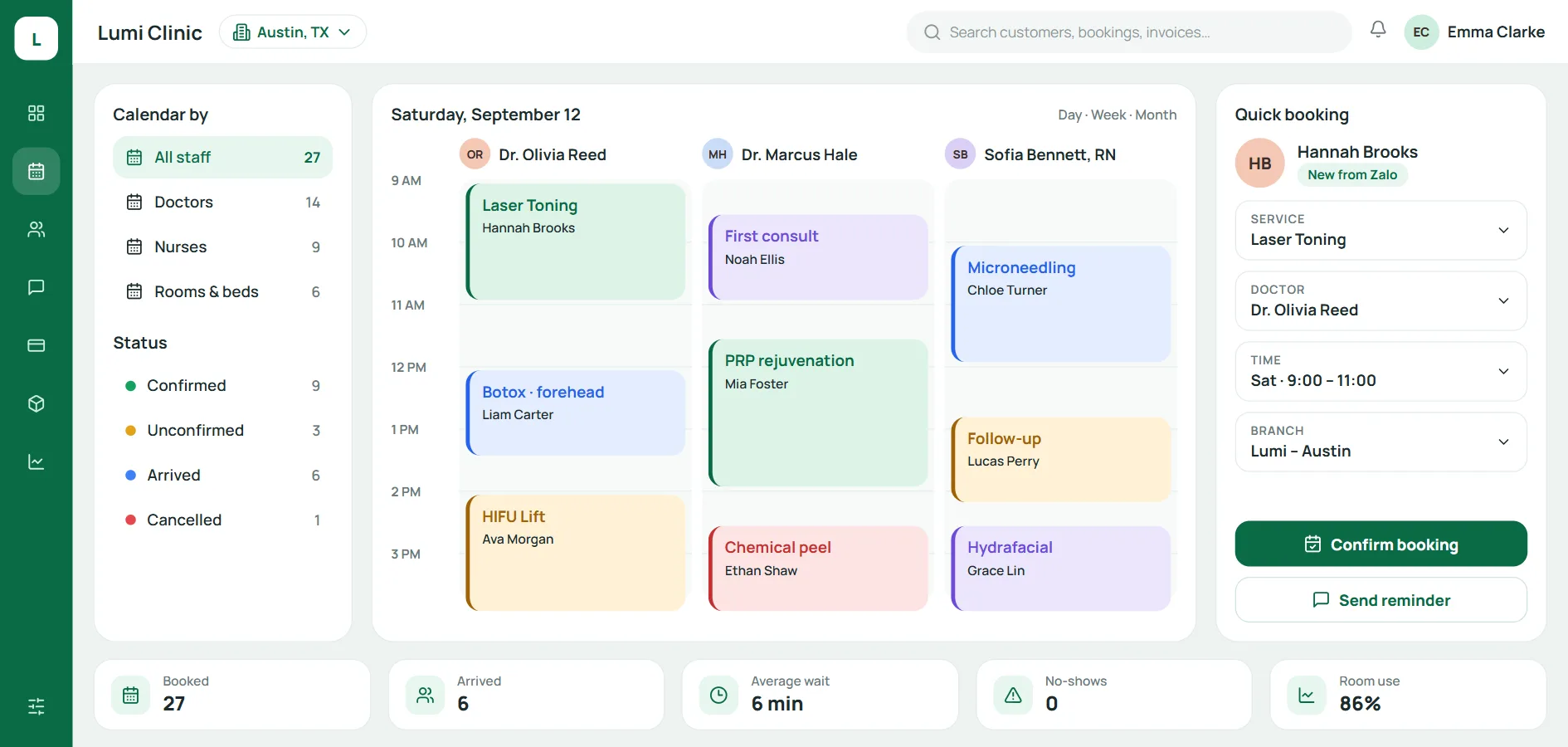
The first rule: every booking sits on one calendar, whether it was made at the desk, over the phone or in a chat. On that calendar, the front desk should be able to:
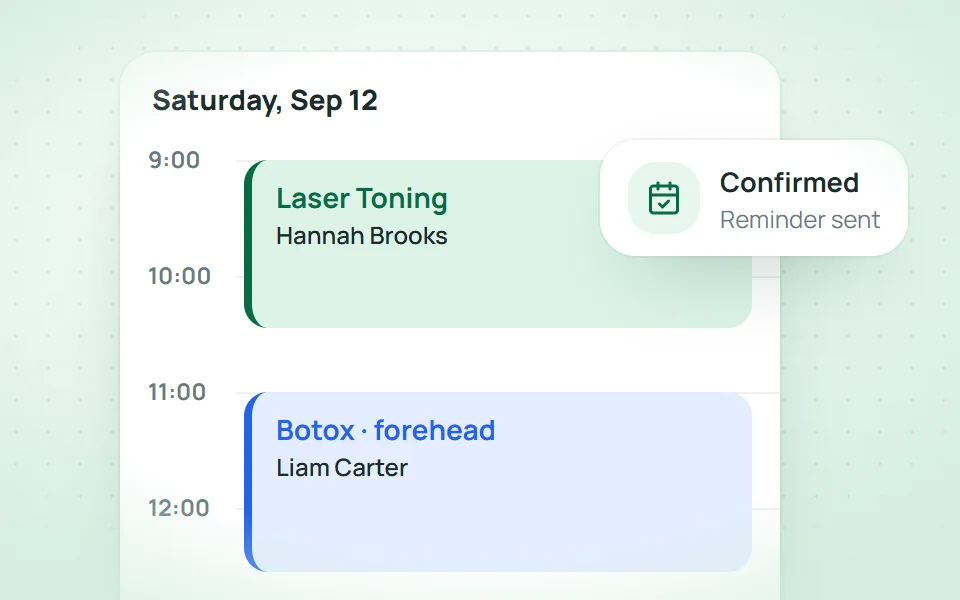
Switch between day, week and month; each column is a doctor, a nurse, a therapist or a room.
Filter by staff, room, service group, status and booking source.
See the number of visits per time slot beside the calendar, to know which hours can take more clients.
Sort bookings into colour-coded groups: unconfirmed, follow-up, long treatment.
Pick a service and have the end time calculated from its length, not guessed.
Flag room and machine clashes at once
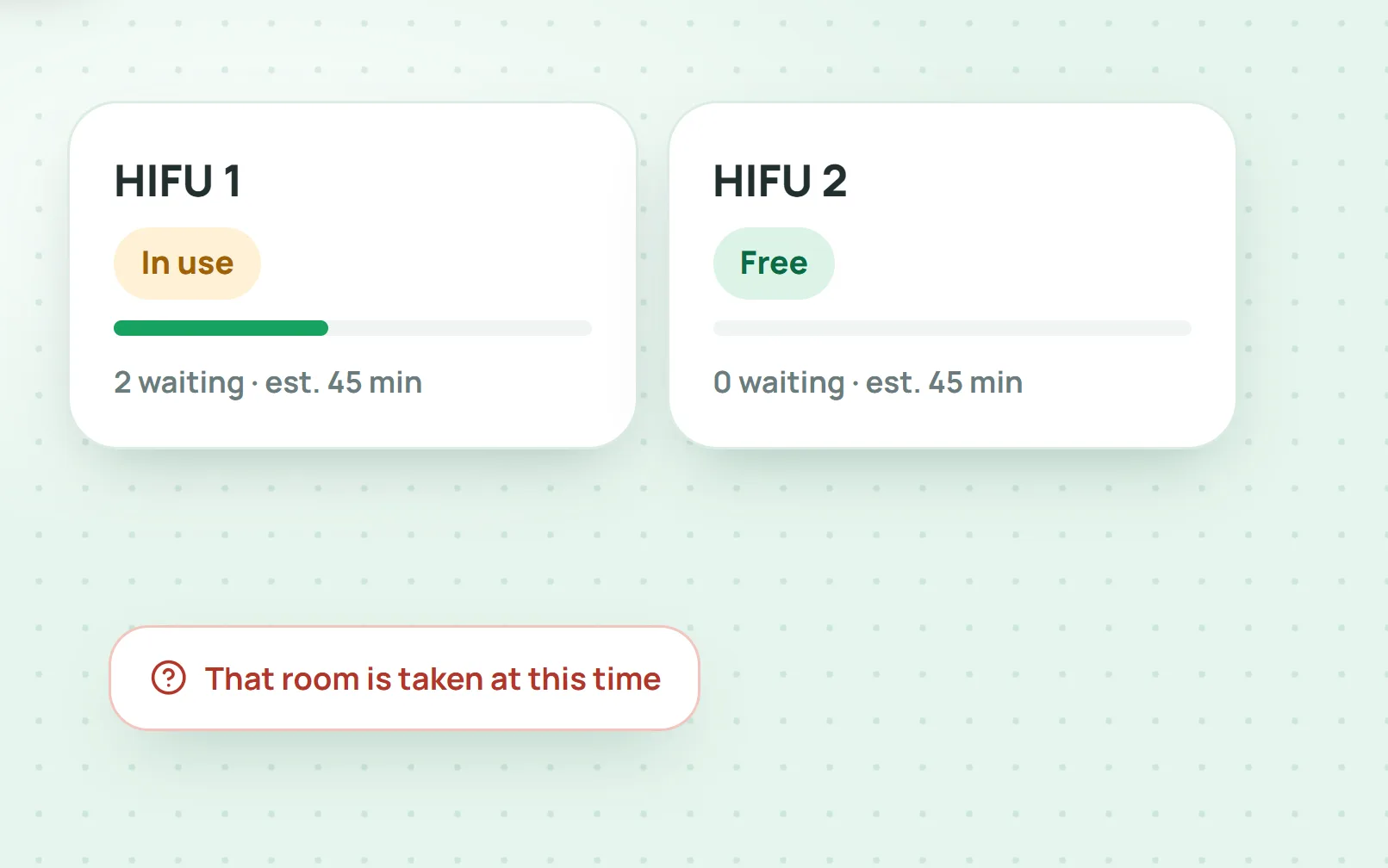
In clinics with machines such as HIFU or lasers, the bottleneck is often the room or the machine, not the person. Software should treat rooms, beds and machines as resources with their own schedules. Booking a client into a room that is taken is flagged at once, and a machine in use has a queue with an estimated wait. The front desk can see two clients waiting for HIFU 1 while HIFU 2 is free, and move one of them across instead of leaving them to wait.
Book from anywhere, including inside a chat
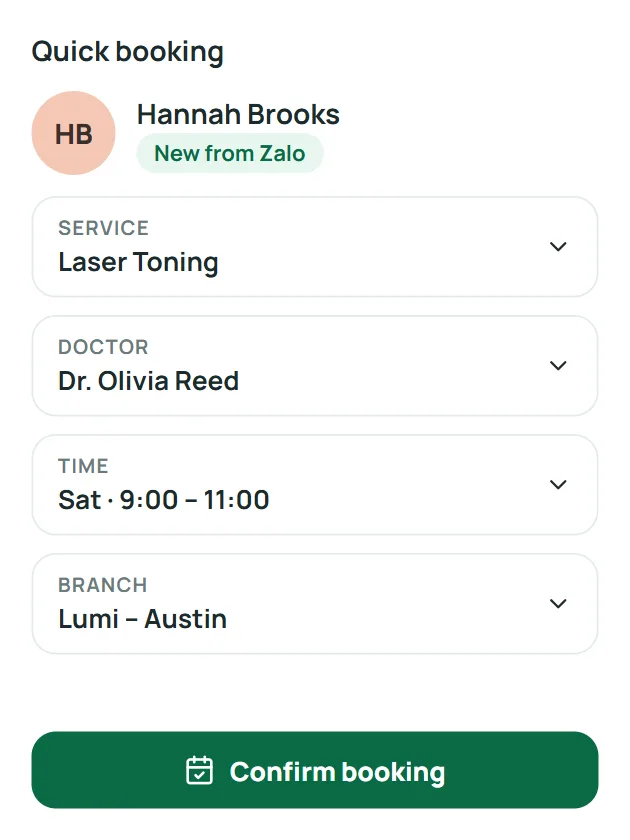
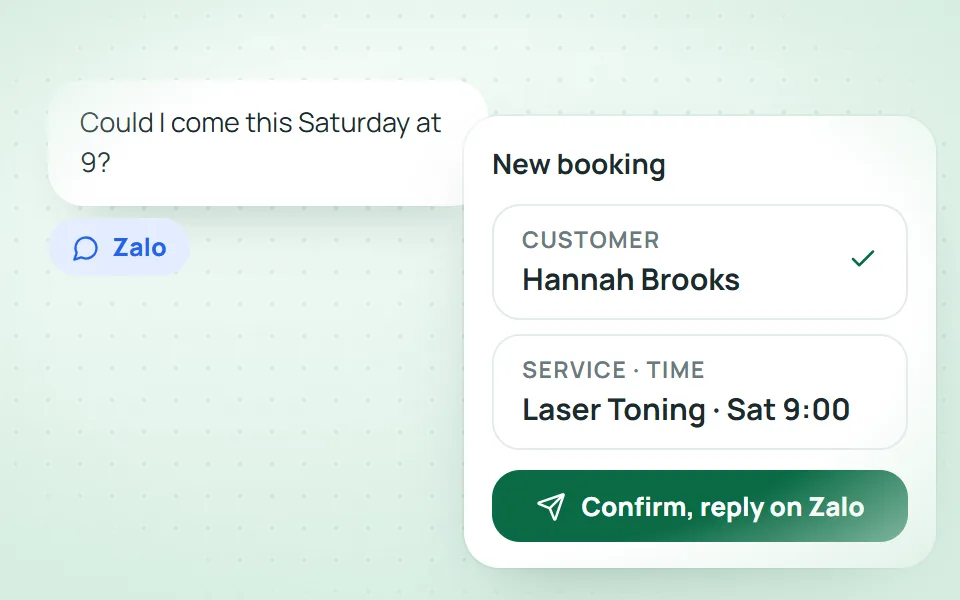
Most clinic bookings are now closed on Zalo, Messenger or the phone. If bookings can only be made on one screen, consultants jot them down and pass them on later, and that is where bookings get lost. Software should let you open the booking panel from anywhere: the inbox, the client record, the payment screen. The booking panel needs to:
Find the client by name or phone number, and create a new one if needed.
Set the service, staff member, date, time and branch in one place.
Show the client's notes and history, so the consultant never has to ask twice.
Record the booking source (phone, online, walk-in) to show which channels bring clients in.
Booking inside a chat only works when every channel's messages arrive in one place first; see our guide to the multichannel inbox. Online self-bookings should land on the same calendar too, marked unconfirmed for the front desk to call back.
Track the day: arrived, waiting, in treatment
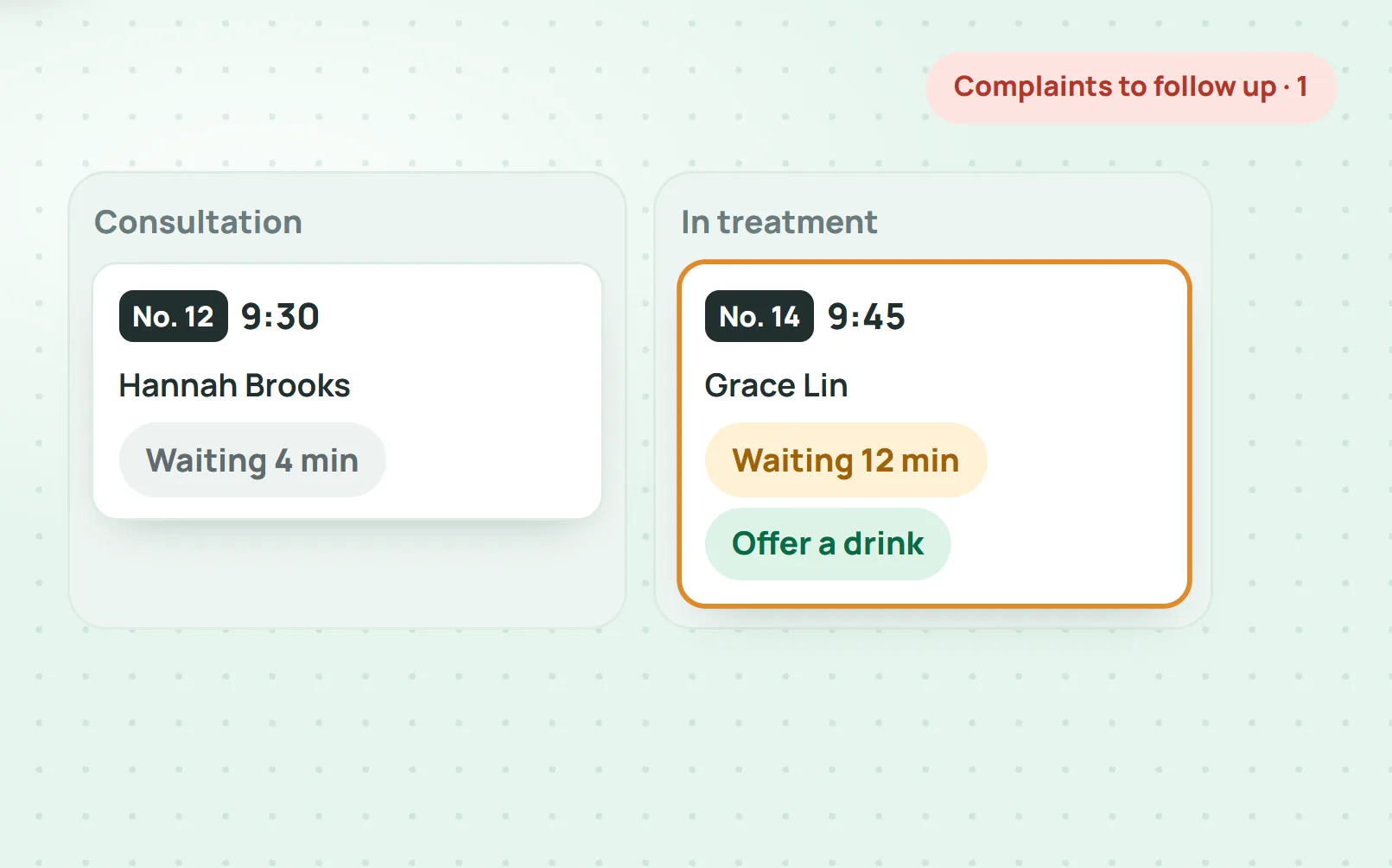
A booking is not finished once it is made. During the day, the front desk and managers need to know who has arrived, who is waiting, who is in treatment and who is late. A status board (consultation, in treatment, completed) shows this on one screen instead of a walk round every room.
What clients often remember after a treatment is how long they waited. So the board should count the minutes each client has waited and prompt staff when it goes past the clinic's own limit, for example offering a drink after 10 minutes. The top of the page should show today's bookings, arrivals, late clients and payments taken.
Moved bookings, changed staff and the change history
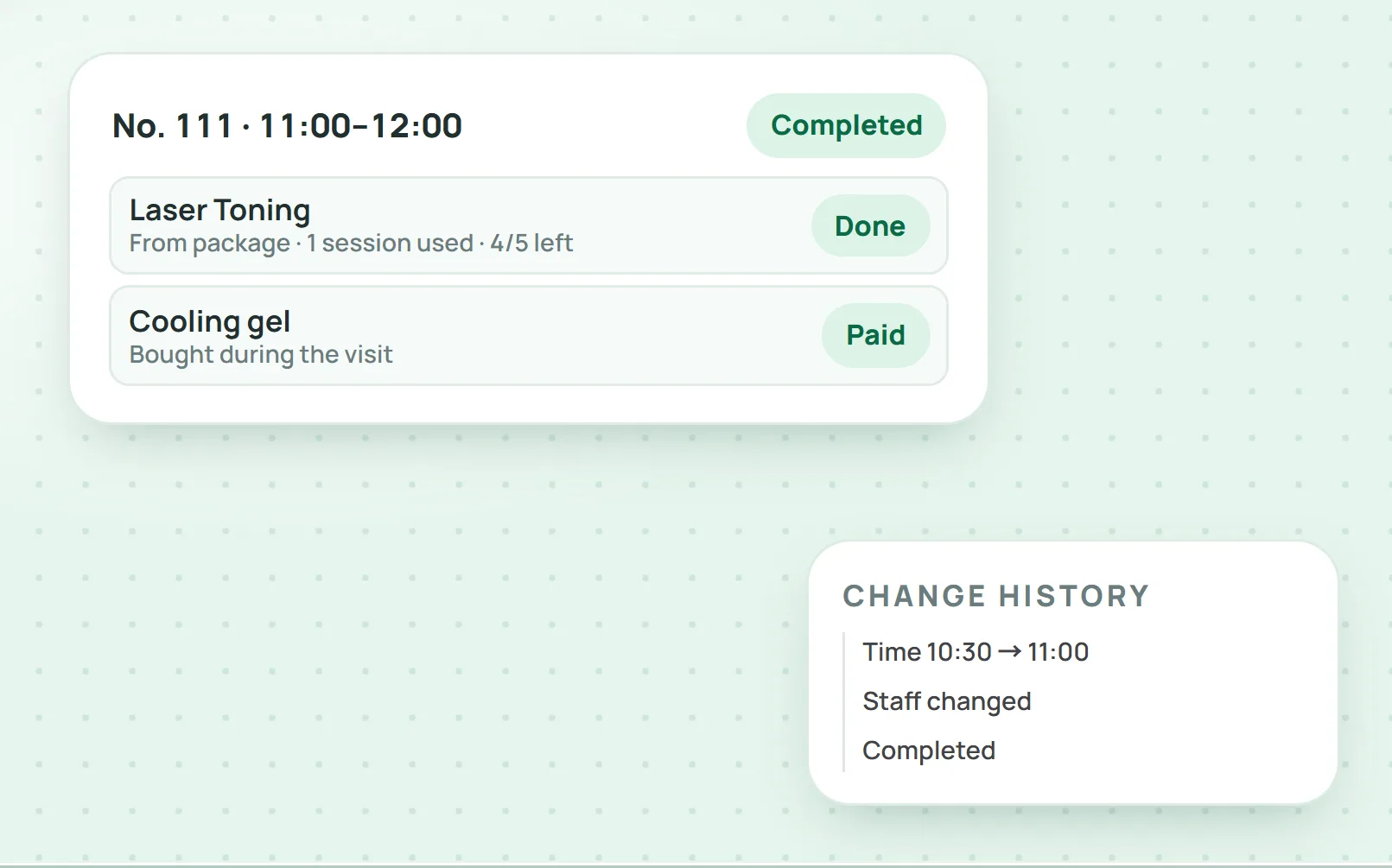
Moving bookings happens every day. What matters is that each change leaves a trail: who changed it, from which time to which, and to which staff member. When a client says "but I told you I was moving it", the change history answers straight away. Software should let you:
Move a booking to another time or room by dragging it on the calendar.
Change status with one click: arrived, started, completed.
Send the confirmation again by Zalo OA or the channel the client is using.
Deduct a package session on completion, with the order and payment on the booking itself.
How to choose aesthetic clinic scheduling software
When comparing options, test each point below on your own clinic's calendar:
Rooms, beds and machines have their own schedules, not just staff.
Clashes are flagged when booking, not when clients arrive.
Bookings can be made from the message inbox and from the client record.
Bookings are tied to the client record, treatment packages and payments.
Time, staff and status changes are kept in a history.
Front desk, doctors, therapists and managers each see the part that is theirs.
Several branches share one system and can be filtered by branch.
Visits can be counted per time slot, per staff member and per booking source.
Do not decide on a demo alone. Run a trial of at least a week on your real calendar, have the front desk and consultants use it daily, and then ask whether they want to go back to the notebook.
How Qub-X handles aesthetic clinic scheduling
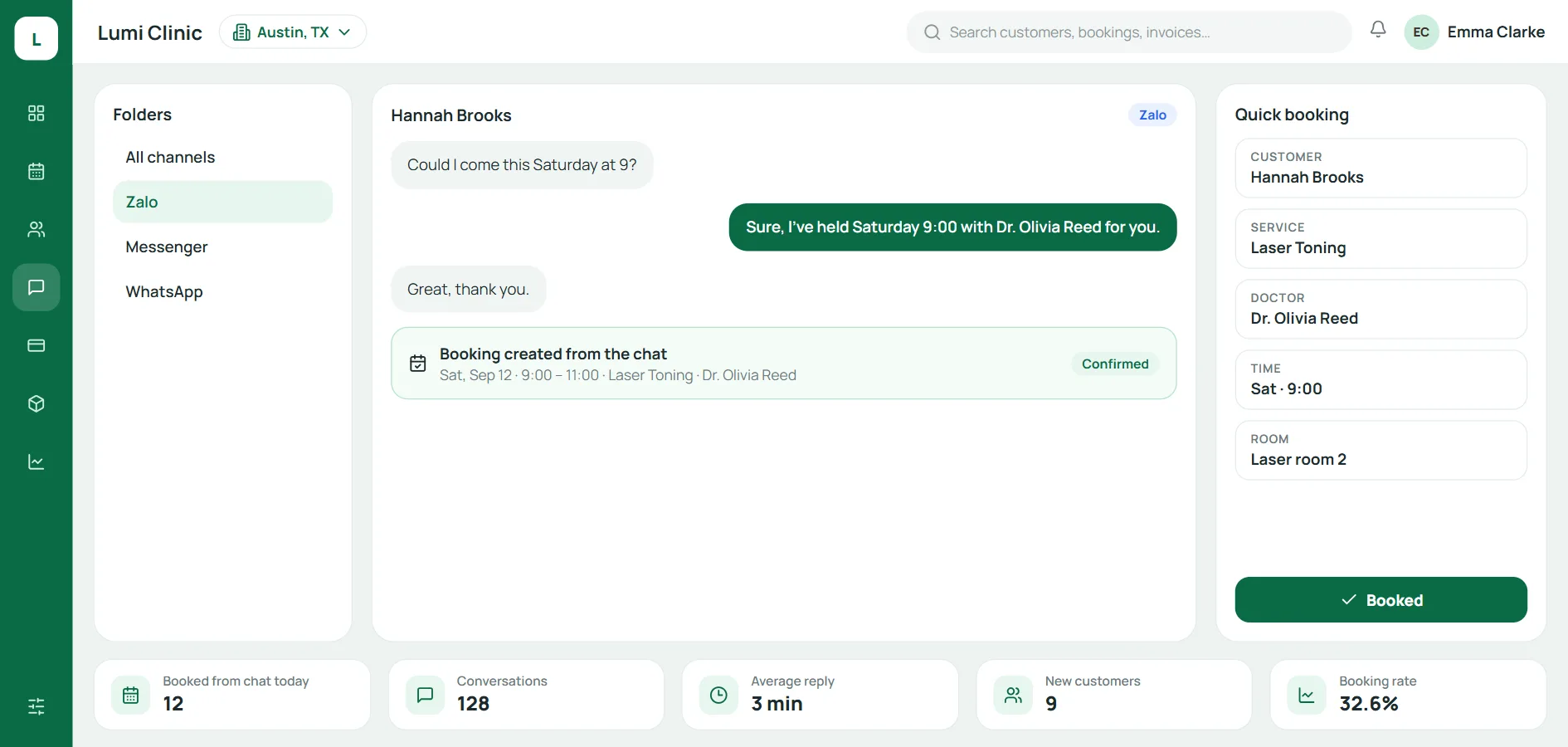
Qub-X is aesthetic clinic management software for aesthetic and dermatology clinics. Its Scheduling module:
Puts rooms, beds, machines and staff on one calendar, with day, week and month views and filters for staff, room, source and appointment group, each group in a colour the clinic chooses.
Flags a booking into a room that is taken at once, and keeps a queue with an estimated wait for each machine.
Lets staff book from the inbox, the client record, payments or inventory, and send the confirmation back by Zalo OA.
Counts the minutes each client waits on the status board; past the set limit, the card changes colour and branch staff get a reminder.
Sets no hard cap on visits per time slot, so the front desk can work around the live calendar.
Deducts a package session when a service is completed, and can require payment before a visit is marked complete.
Qub-X runs at an aesthetic chain with 3 branches, about 500 staff and more than 3,500 bookings a month.
Frequently asked questions
Does a small clinic with a few doctors and therapists need scheduling software? Yes, once bookings come in from several channels such as Zalo, the phone and walk-ins. One shared calendar prevents clashes even with only a few treatment rooms.
Does the software warn about double-booked rooms? Yes. In Qub-X, booking a client into a room that is already taken at that time is flagged at once.
Is the client told when a booking moves? Yes. The front desk can send the confirmation again by Zalo OA or the channel the client is using, right from the booking panel.
Where do online self-bookings go? Straight onto the appointment board as unconfirmed, with the source marked Online, for the front desk to call and confirm.
Is there a limit on visits per time slot? Qub-X sets no hard cap per time slot. The front desk sees how many visits each slot has and balances them against the live calendar.
Conclusion
Aesthetic clinic scheduling software earns its place when it brings every booking together: rooms, beds, machines and staff on one calendar, clashes flagged when booking, bookings closed inside chats, and a clear view of who is waiting. Start by listing every place bookings live in your clinic today, then try running them from one calendar for a week. Book a Qub-X demo to see scheduling on your own workflow, or try it for 7 days.
Related articles
All articles on Clinic operations- Clinic operations
Aesthetic clinic time and attendance software: face check-in and automatic shift schedules
Paper timesheets, spreadsheets and leave requests sent by message make closing the month slow. Here is what aesthetic clinic time and attendance software should cover, from face check-in and shifts to multi-branch timesheets, and which Vietnamese rules on hours and personal data apply.
- Clinic operations
Aesthetic Clinic Management Software: Turning Client Data Into a Competitive Edge
Client data scattered across chat apps, Excel files and separate systems rarely becomes an advantage. Here is how aesthetic clinic management software helps a clinic organise and use its client data on one platform.
- Clinic operations
Clinic Customer Management Software: How to Choose the Right One
Messages in personal Zalo accounts, bookings in a notebook and records in a different Excel file at each branch make a clinic lose track of clients. This guide helps you choose clinic customer management software, with the 8 core features it needs.