Spa time and attendance software: face check-in and automatic shift schedules
Paper timesheets, spreadsheets and leave requests sent by message make closing the month slow. Here is what spa time and attendance software should cover, from face check-in and shifts to multi-branch timesheets, and which Vietnamese rules on hours and personal data apply.
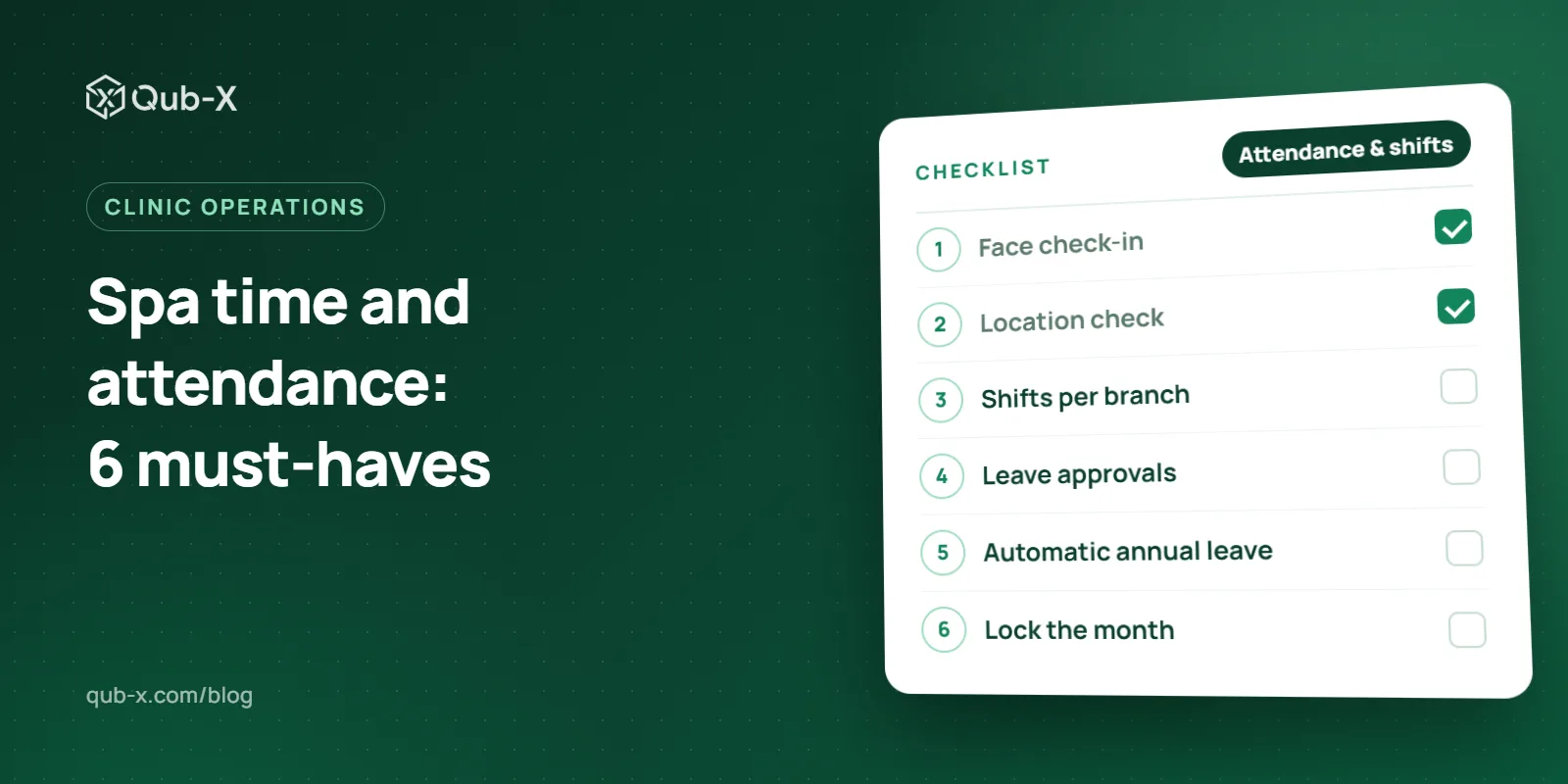
At month end, spa managers still collect paper timesheets from every branch, comb through spreadsheets and scroll back through chat messages to see who asked for leave. Spa time and attendance software removes that chore: staff clock in on their phones, shifts are already scheduled and leave is approved in the system. This guide is for spa and aesthetic clinic owners in Vietnam: what the software should do, what face check-in means under the personal data law, and which working-hour and leave rules your shift plan has to respect.
Why attendance is hard for spas and clinics
Receptionists, therapists, nurses and doctors work morning, afternoon and office-hours shifts, and weekends are usually busier than weekdays. The usual sticking points:
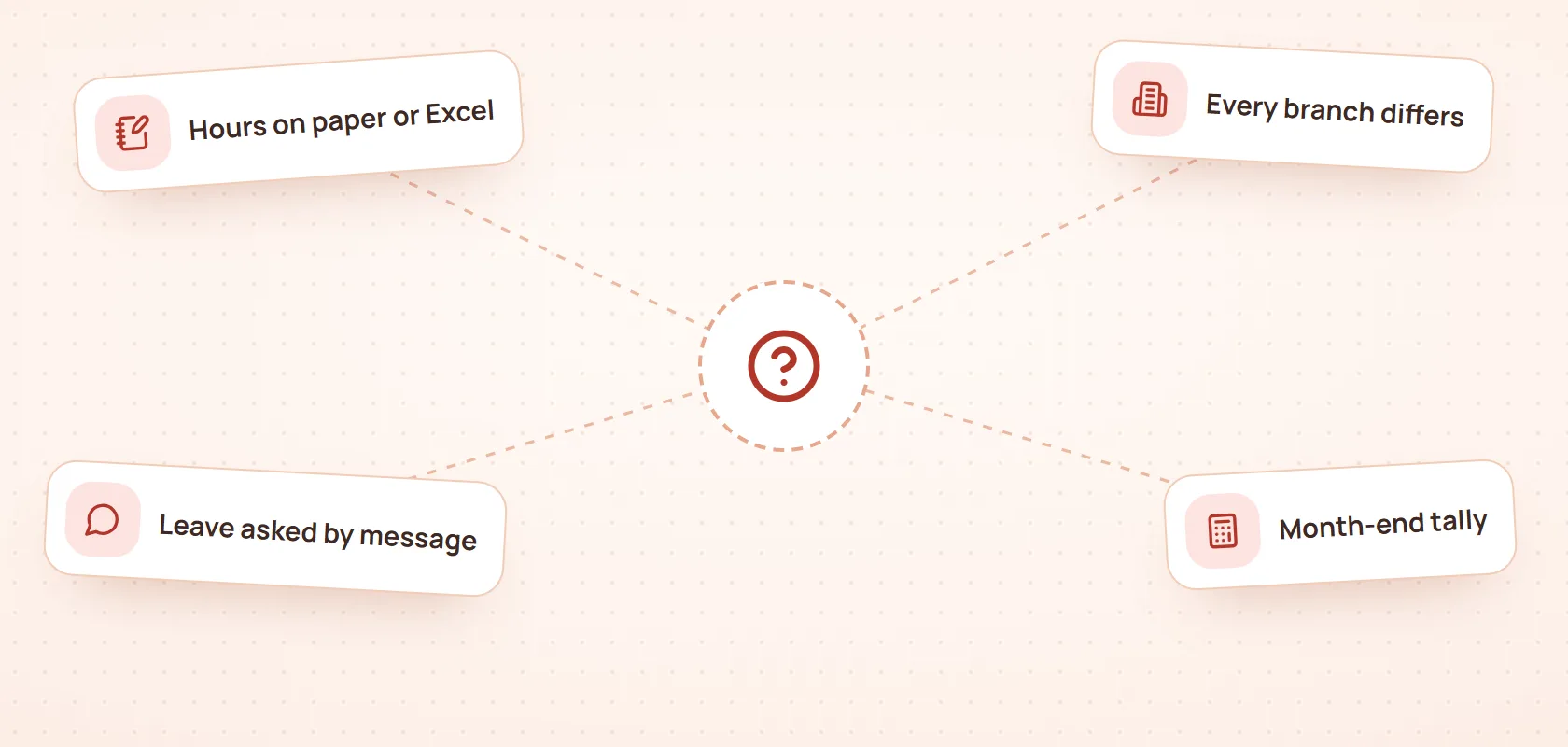
Hours written by hand: paper or spreadsheets, easy to forget, easy to round up, and hard to tell who clocked in for whom.
Every branch does it differently: one keeps a notebook, another has a fingerprint reader, and someone has to merge them.
Leave asked for by message: requests are scattered across Zalo, and nobody keeps a running balance.
A slow month-end close: every clock-in and clock-out is checked against each person's shifts, then the gaps are chased one by one.
A hypothetical example: a spa with 2 branches and 30 staff, each working 26 days a month, has about 1,560 clock-ins and clock-outs to check against the schedule. Miss a few lines and the timesheet is already wrong.
What spa time and attendance software needs
When you compare products, look for six features:
Feature | Why it matters |
|---|---|
Phone clock-in confirmed by face | No queue at a time clock, and clocking in for a colleague gets much harder |
Location check per branch | You know staff clocked in where they actually work |
Shifts per branch | Each site runs its own mix of morning, afternoon and office shifts |
Leave and forgotten clock-in requests | Approved in the system, not lost in chat |
Automatic annual leave | Staff can check their own balance |
One timesheet across branches, locked at close | Closed once, with no edits afterwards |
Spa time and attendance software should also offer role-based permissions and an activity log, because face and location data count as sensitive personal data. Forgotten clock-ins, shift changes and last-minute absences belong in your clinic's standard operating procedures too.
Face and location check-in on the phone
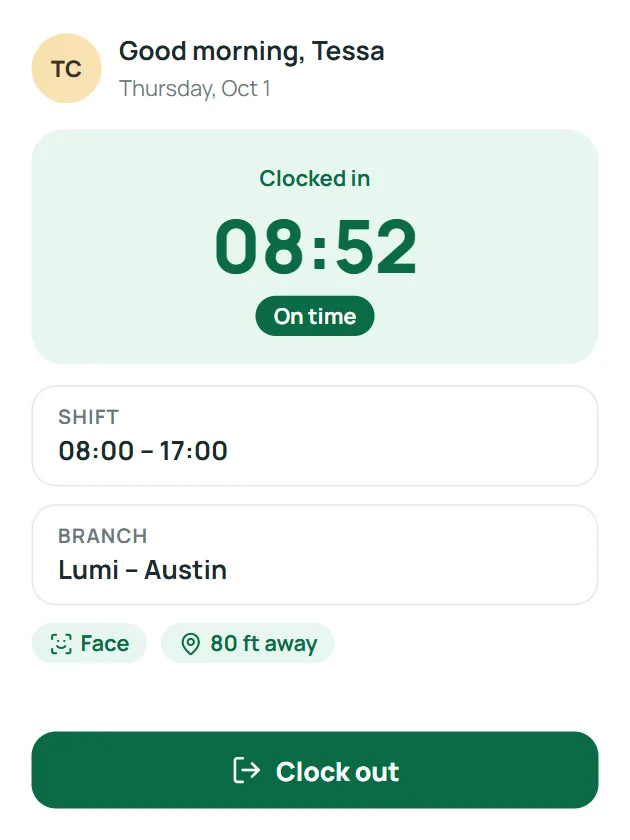
With Qub-X HRM, clocking in works like this:
Staff register their face once.
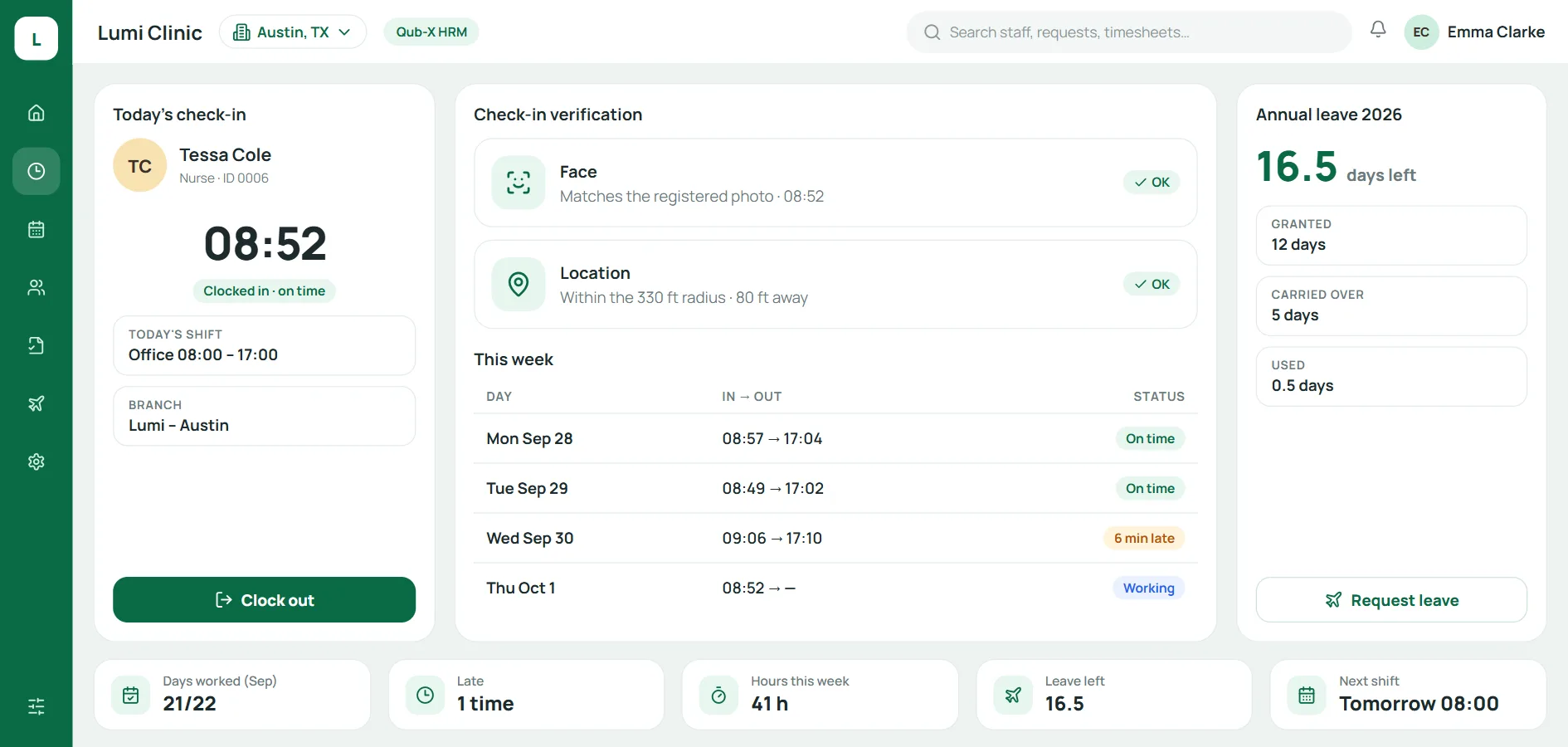
At the start of a shift, they open Qub-X on their phone, see today's shift and tap Clock in.
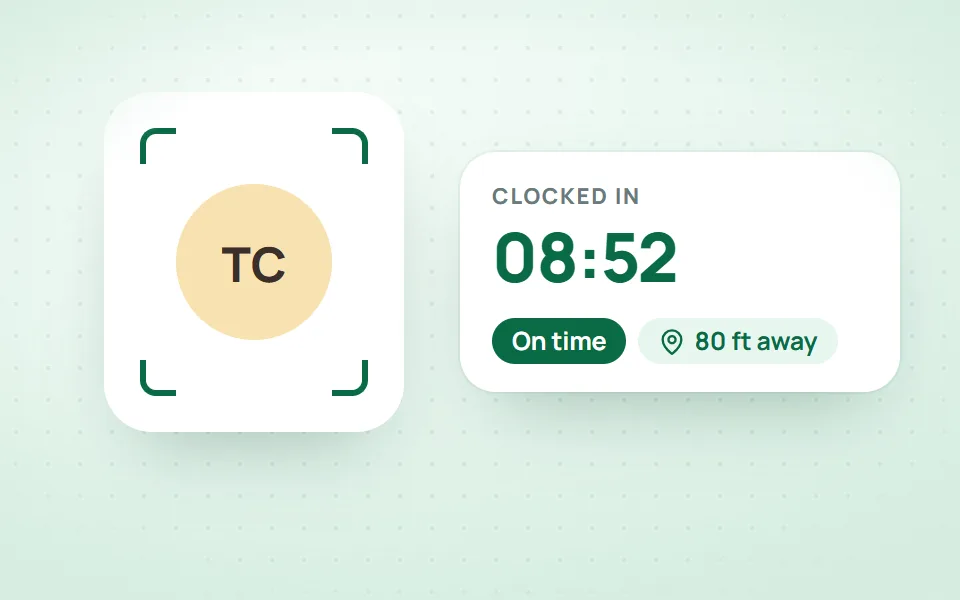
A quick face photo confirms who they are, and their location is checked against the branch's coordinates and radius.
Clock-ins outside the radius or without a location are flagged on the timesheet.
Staff can also see their hours worked, tomorrow's shift and their leave balance on the phone. Every clock-in carries a face photo, so clocking in for someone else is much harder.
Face and location data under Vietnam's data protection law
Vietnam's Law on Personal Data Protection 2025 (Law 91/2025/QH15, in Vietnamese) took effect on 1 January 2026, together with its implementing Decree 356/2025/NĐ-CP, which replaced Decree 13/2023/NĐ-CP. Article 4 of Decree 356 lists biometric data and a person's location determined through location services as sensitive personal data. Face and location check-in touches both, so a clinic should:
Get consent before collecting the data (Article 11 of the Law), for attendance only, unless the law provides otherwise. Staff must know the type of data, the purpose, who controls it and their own rights (Article 9), and be told that it is sensitive data (Article 6 of Decree 356). Silence is not consent.
Keep a record of that consent, in writing or in a verifiable electronic form (Article 6 of Decree 356).
Limit who can see the data and put security measures in place (Article 4.2 of Decree 356).
Delete the data when someone leaves, unless agreed otherwise or required by law (Article 25 of the Law).
Tell affected staff within 72 hours of an incident involving location or biometric data (Article 29 of Decree 356).
Customer data is covered in customer data security for aesthetic clinics.
Shifts, shift changes, leave and annual leave
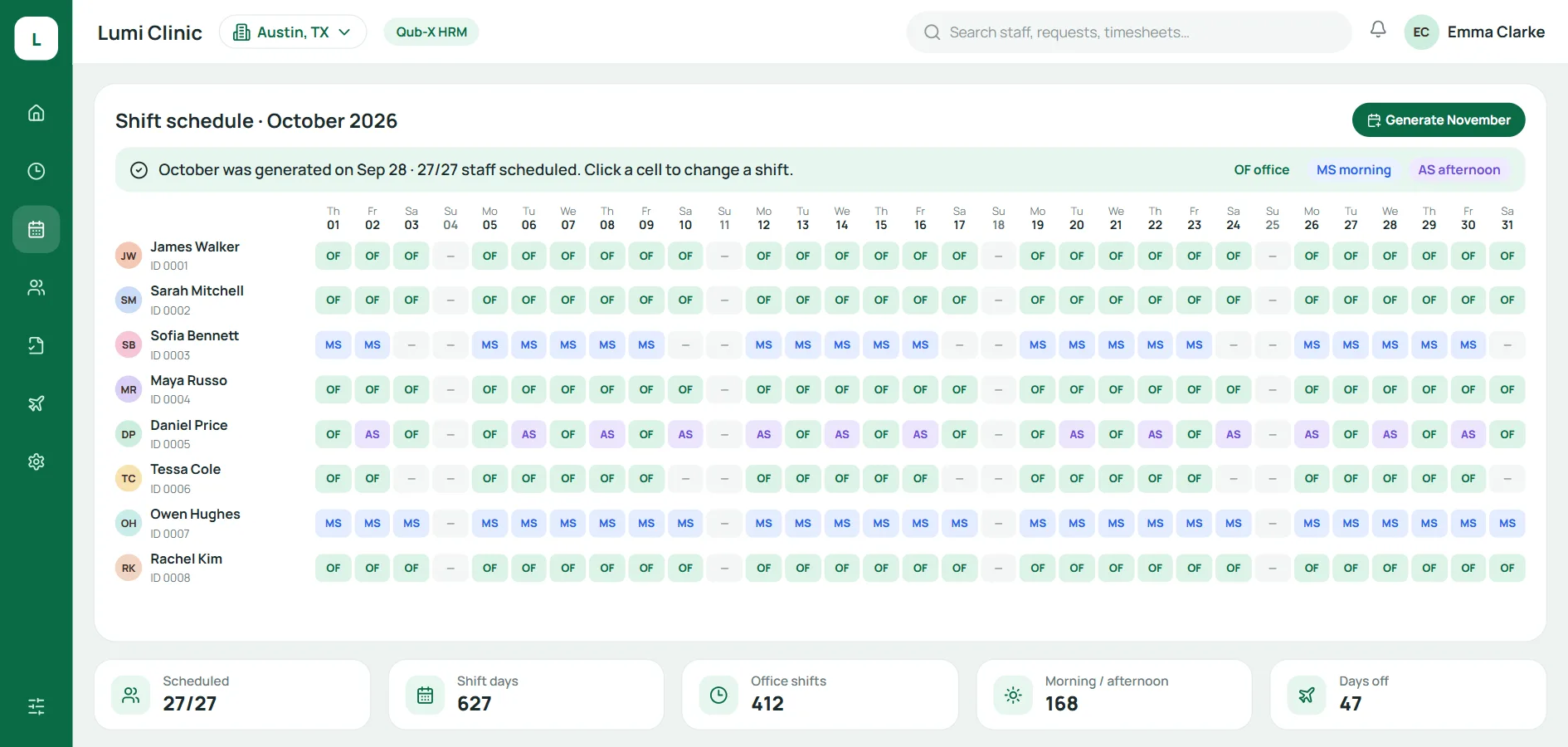
The shift schedule is the backbone of the timesheet: without it, no system can tell who was late, left early or is short of hours. In Qub-X HRM, the whole month is generated from each branch's shift policy. Managers click a cell to change one day, or change a whole range of days.
When you set that policy, check it against Vietnam's Labor Code 2019 (in Vietnamese):
Normal hours (Article 105): no more than 8 hours a day and 48 hours a week. If hours are set by the week, no more than 10 hours a day and 48 a week, and staff must be told.
Overtime (Article 107): needs the employee's agreement, and stays within 50% of normal daily hours, 40 hours a month and 200 hours a year.
A hypothetical example: on an 8-hour office shift, overtime tops out at 4 hours that day. If the spa stays open into the evening, split the day into morning and afternoon shifts rather than stretching one.
Every shift change is logged
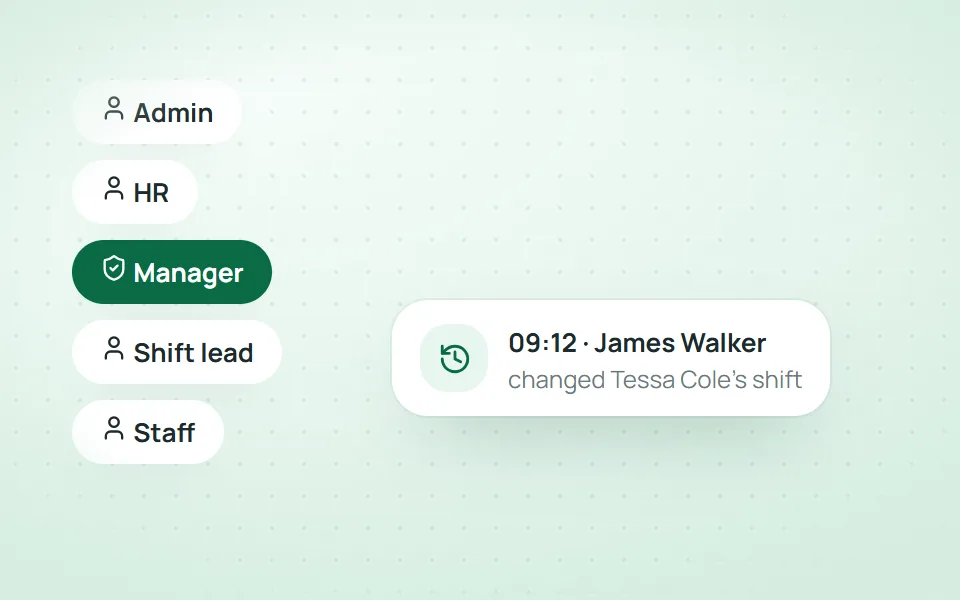
Each account holds exactly one role, such as admin, HR, manager, shift lead or staff, and you can add your own roles. Every data change, shift changes included, goes into the log, so when someone asks why their shift moved, the manager can see who changed it and when.
Leave and forgotten clock-in requests
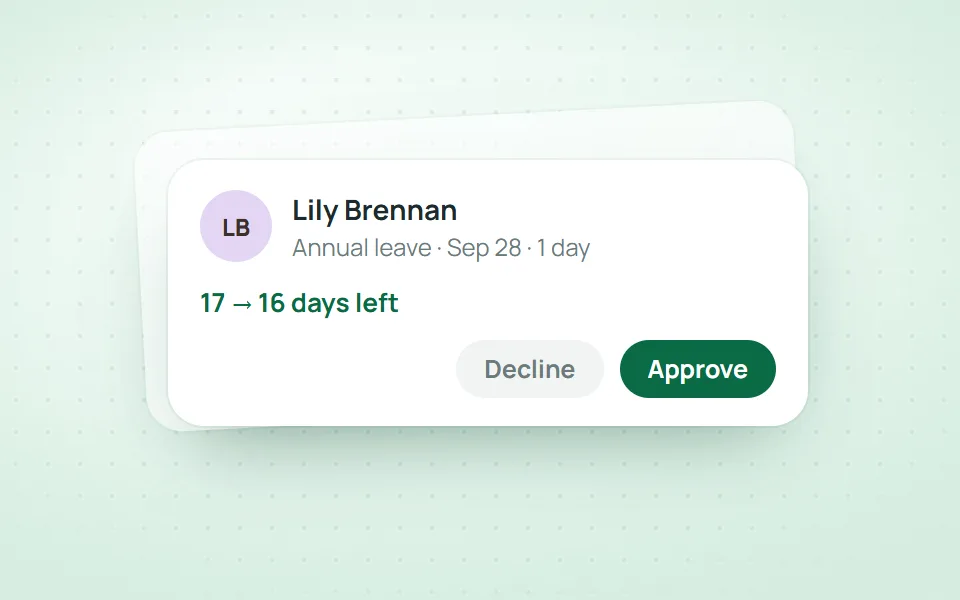
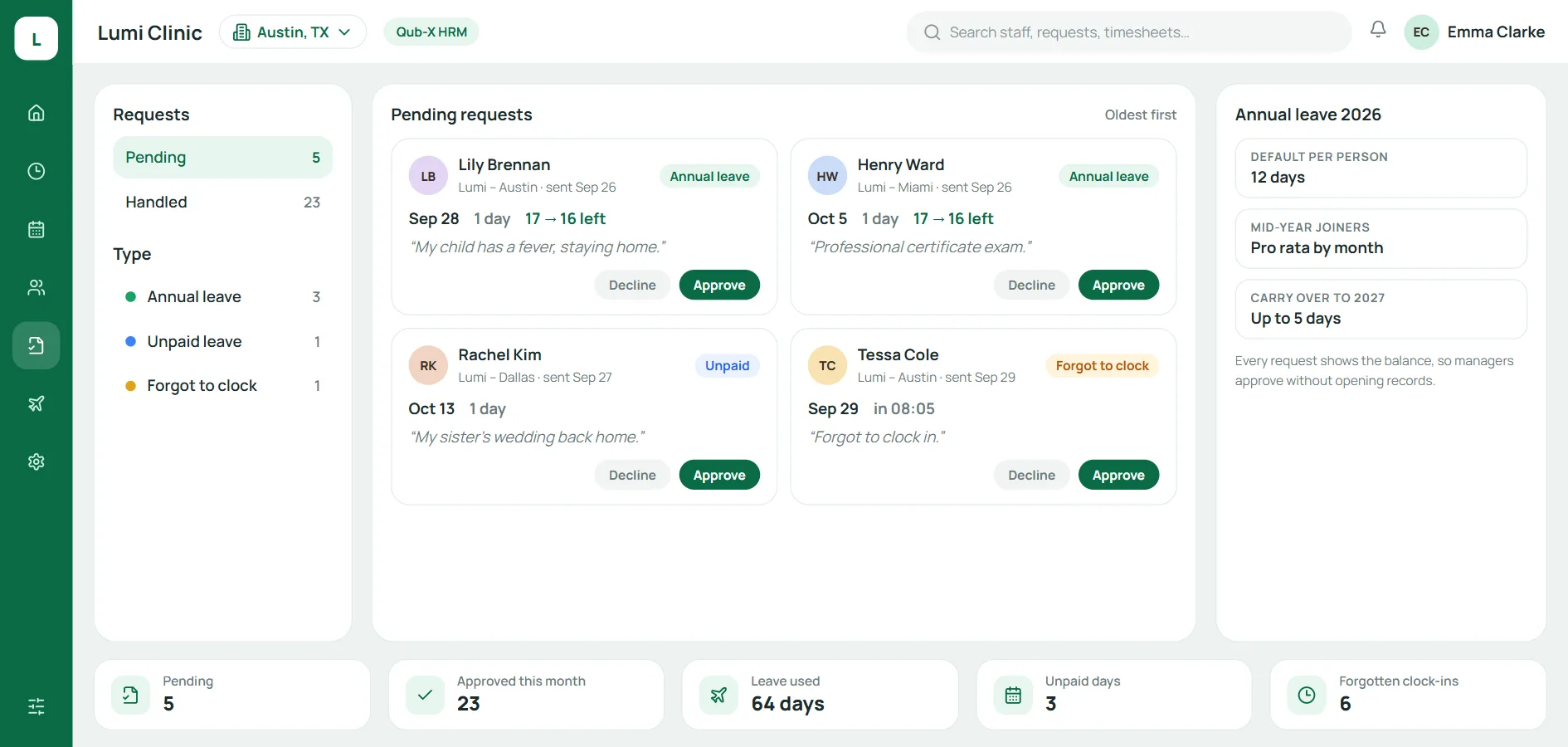
Staff request annual leave, unpaid leave or a forgotten clock-in fix straight in the system. Each request is a card with the type, date, reason and the leave balance before and after approval, oldest first. Managers approve on the card, and their home screen shows pending requests and today's attendance.
Annual leave that adds itself up
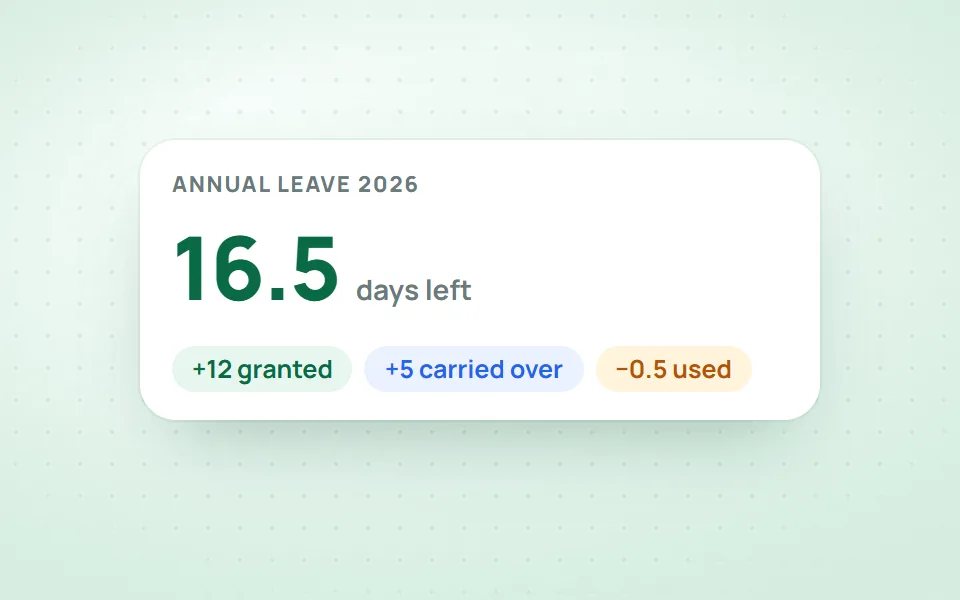
Under Article 113 of the Labor Code, an employee with 12 months' service in normal working conditions gets 12 working days of paid annual leave; with less than 12 months, the leave is pro rata to the months worked. Article 114 adds 1 day for every 5 years with the same employer.
Qub-X HRM works out annual leave from your clinic's rules: mid-year joiners get a pro-rata share, unused days carry over to next year up to a cap, and you can adjust the balance for one person. A hypothetical example: someone who starts on 1 May and works 8 full months that year gets 12 × 8/12 = 8 days.
Closing the month across branches
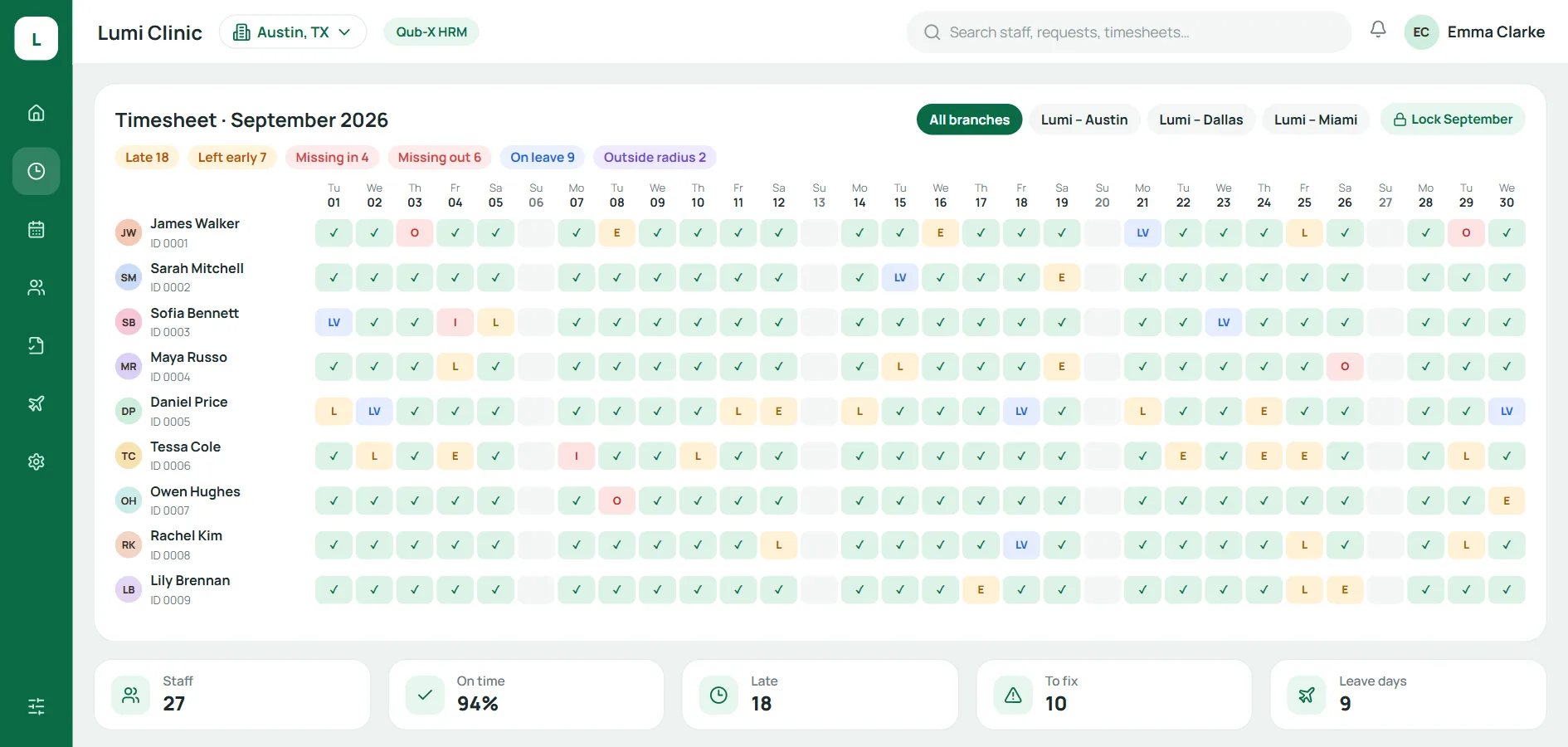
In Qub-X HRM, hours, shifts and leave for every branch live in one place. Each timesheet cell is one person's day, and late arrivals, early departures, missing clock-ins, missing clock-outs and location flags are counted at the top. A suggested month-end routine:
Open the month's timesheet, then filter by branch or search by name or staff code.
Review the flagged cells: late, early, missing hours, outside the radius.
Ask staff to send requests for days with missing hours, then approve them.
Check leave days on the timesheet against approved requests.
Lock the period. The locked timesheet is the input your accountant uses for payroll under the clinic's pay policy.
Forgot to clock in: staff fix it themselves
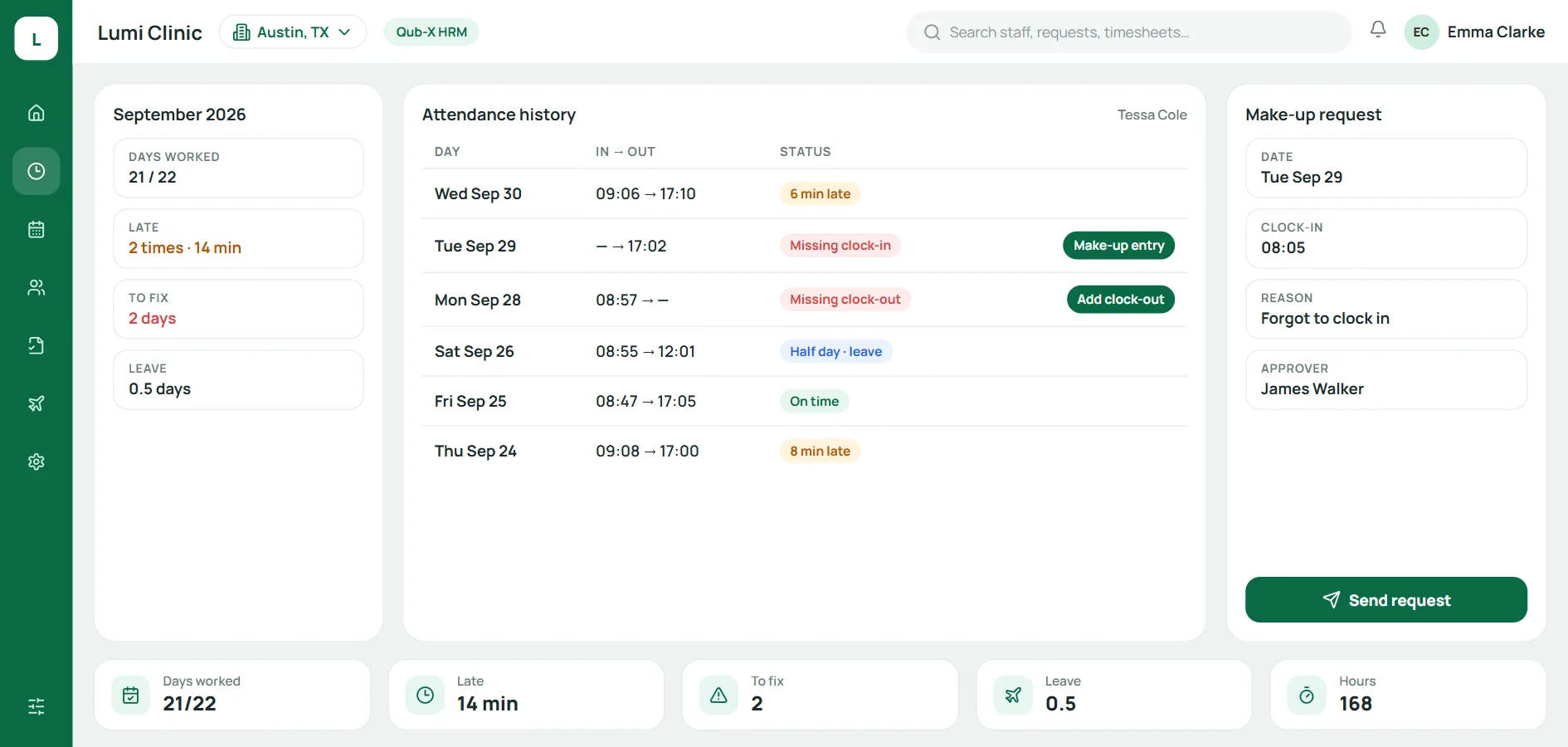
When a clock-in or clock-out is missing, the system records it. Staff tap Add time or Make-up clock-in, enter the time and the reason, and a manager approves. Make-up shifts and covered absences show separately on the timesheet, so there is less chasing when you lock the period.
Frequently asked questions
Does spa time and attendance software need a separate time clock? Not with Qub-X HRM. Staff clock in on their phone: they register their face once, and each clock-in takes a quick photo to confirm it.
Do staff need to consent to face check-in? You should get their consent in writing or electronically. Face and location are sensitive data, and the law requires consent before collection unless the law provides otherwise.
What if someone forgets to clock in? The day is flagged as missing a clock-in or clock-out. The employee sends a forgotten clock-in request with the time, and a manager approves it before the period is locked.
Does attendance software also calculate payroll? It depends on the product. Qub-X HRM covers attendance, shifts, leave and timesheets; the locked timesheet is the input your accountant uses for payroll.
Conclusion
Spa time and attendance software takes the month-end chores off a manager's plate: collecting timesheets, checking hours and adding up leave. Look for face and location check-in, shifts per branch, leave requests and a timesheet you can lock, and get staff consent before you collect face data. Qub-X runs at an aesthetic clinic chain with 3 branches, about 500 staff and more than 3,500 bookings a month. Book a Qub-X demo or try it for 7 days.
Related articles
All articles on Clinic operations- Clinic operations
Spa inventory management: deduct supplies per visit, track lots and expiry
Stock never matches and nobody knows why? A practical guide to spa inventory management for spas and aesthetic clinics: usage norms per service, per-visit deduction, expiry-first picking, confirmed transfers and a monthly count.
- Clinic operations
Spa treatment packages and prepaid cards: no more session disputes
Disputes over remaining sessions can cost you clients as surely as a disappointing service. Here is how to record, deduct and track spa treatment packages and prepaid cards so the client and the spa always see the same number.
- Clinic operations
How to calculate spa therapist commission: 4 models with examples
Spa therapist commission that is wrong or late can drive good therapists away. Here are 4 commission models, worked examples and how to build a transparent commission statement.