
Spa management software: how to choose one for your whole workflow
Good spa management software brings consultations, appointments, customer records, treatment packages, payments and aftercare into one system. This guide helps you choose the right one and roll it out without disrupting your daily operations.

Spa management software is a system that brings the entire customer journey, from the first price enquiry and the booking to the treatment, the payment and the aftercare, into a single customer record. Your staff no longer have to jump back and forth between Zalo, a paper appointment book and a stack of spreadsheets. This guide is for spa and aesthetic clinic owners who are weighing up their options: which features you actually need, how to evaluate vendors, and how to roll the software out without disrupting day-to-day operations.
What problems does spa management software solve?
Most spas are not short of tools. The real problem is too many tools that don't connect. Messages live on Facebook and on staff members' personal Zalo accounts, appointments sit in a paper book or in Google Sheets, prepaid treatment packages are tracked in an Excel file, and payments go through a separate point-of-sale app. Each tool works well enough on its own, but nobody is in charge of the gaps between them.
As your customer numbers grow, those gaps turn into everyday operational risks:
Price enquiries get a late reply, or no reply at all, because nobody knows who owns the conversation.
Appointments aren't linked to the consultation history, so therapists greet customers without knowing what they came in for.
Remaining sessions in a treatment package have to be checked by hand, which easily leads to disputes with customers.
The owner only sees the numbers once someone has finished pulling together the end-of-month report.
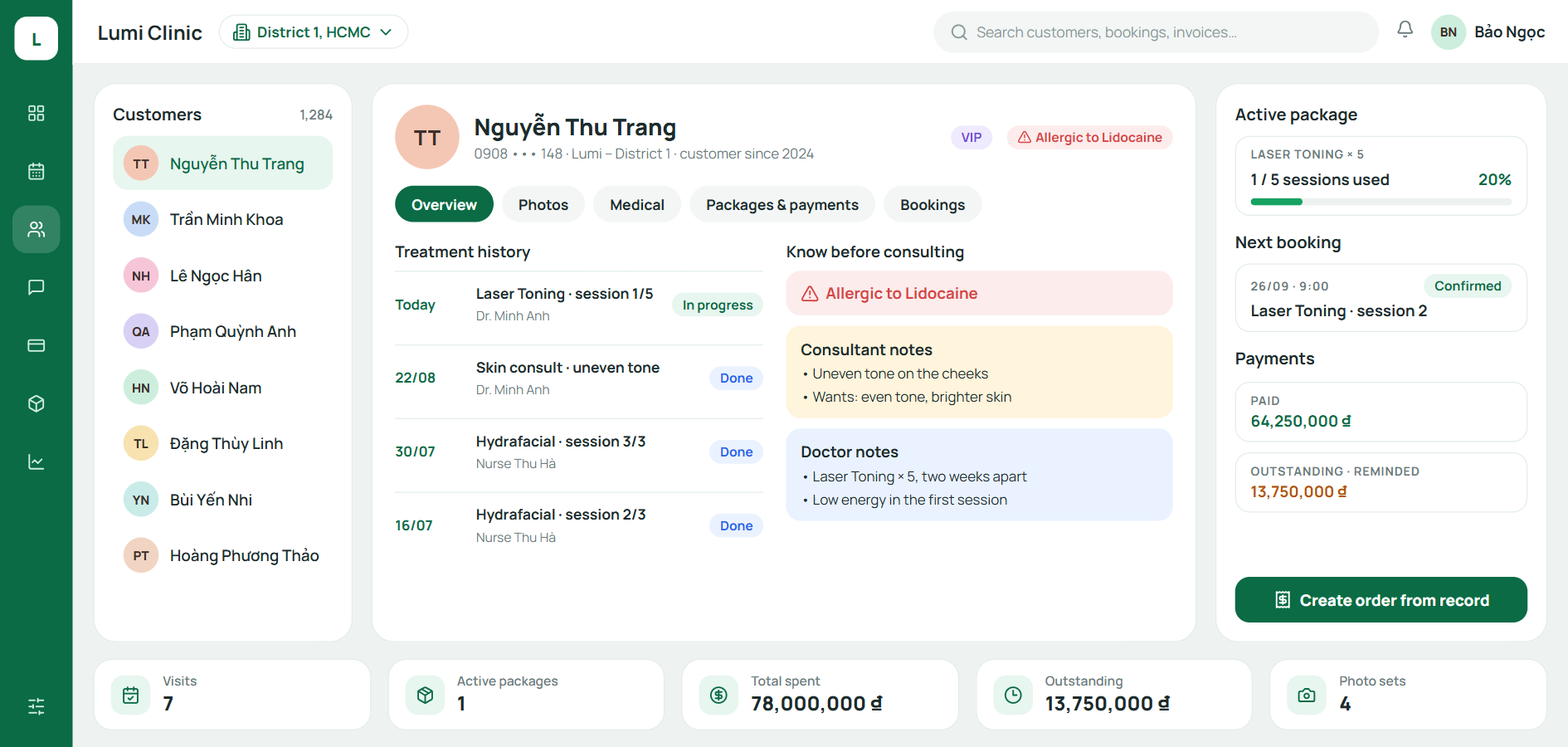
Spa management software tackles the root cause of all these problems with one principle: every touchpoint feeds into the same customer record. Whether a customer messages you, books, comes in for treatment or pays, it all lands in one place that the whole team can see. Our article on spa customer records management looks closely at the cost of scattered data and how to bring it all together.
Signs your spa needs management software
Not every spa needs software from day one. Read through the list below. If three or more of these signs sound familiar, carrying on with manual work is already costing you more than you think.
Customers have to repeat their needs and history every time they see a new staff member.
At least once a month, you end up in a dispute with a customer over how many sessions they have left.
Your staff consult with customers through their personal Zalo or Facebook accounts.
You can't answer the question "Which channel brought in the most new customers last week?"
Your revenue report takes two days or more to put together.
Calculating commission at the end of the month means cross-checking several files by hand.
You are opening, or getting ready to open, a second branch.
When a staff member leaves, their customers' history leaves with them.
None of these signs is a disaster on its own. Taken together, they show that your spa now depends on people remembering things rather than on a system that remembers for them.
9 feature groups to look for in spa management software
Vendors' feature lists tend to be very long, and it is easy to get lost in them. The table below boils them down into nine core groups, along with the question to ask during a demo to find out whether each feature genuinely holds up in day-to-day operations.
Feature group | What it solves | Question to ask during the demo |
|---|---|---|
Unified customer records | One customer, one record, complete history | Do messages, appointments and payments appear on the same timeline? |
Appointments | Scheduling by staff member, room and machine | Does it prevent double-booking therapists and rooms? Does it send automatic reminders? |
Multichannel inbox | No missed messages | Which channels does it bring together? Can each conversation be assigned to an owner? |
Treatment packages and prepaid cards | Tracking remaining sessions and balances | Are sessions deducted automatically when a service is completed? Can customers see how many sessions they have left? |
Sales, payments and outstanding balances | Collecting the right amount, in full | Can one invoice be paid in several installments and by several payment methods? |
Staff commission | Fast, transparent payroll | Can you set up different commission types (per service, per sales target, split between several people)? |
Supplies and cosmetics inventory | Knowing what is in stock and what is running low | Does it deduct supplies based on a set usage rate for each service? |
Branch-level reporting | Making decisions every week | Are reports updated instantly, or only at the end of the day? Can you compare branches? |
Permissions and audit log | Protecting customer data | Are photos and treatment notes hidden from front desk staff? Does it record who viewed or exported data? |
Aesthetic and dermatology clinics licensed to provide medical examination and treatment need a tenth group on top of these: electronic medical records. See our article on electronic medical records for aesthetic clinics to find out which facilities are required to implement them and the deadline for doing so.
What does "managing everything on one screen" mean?
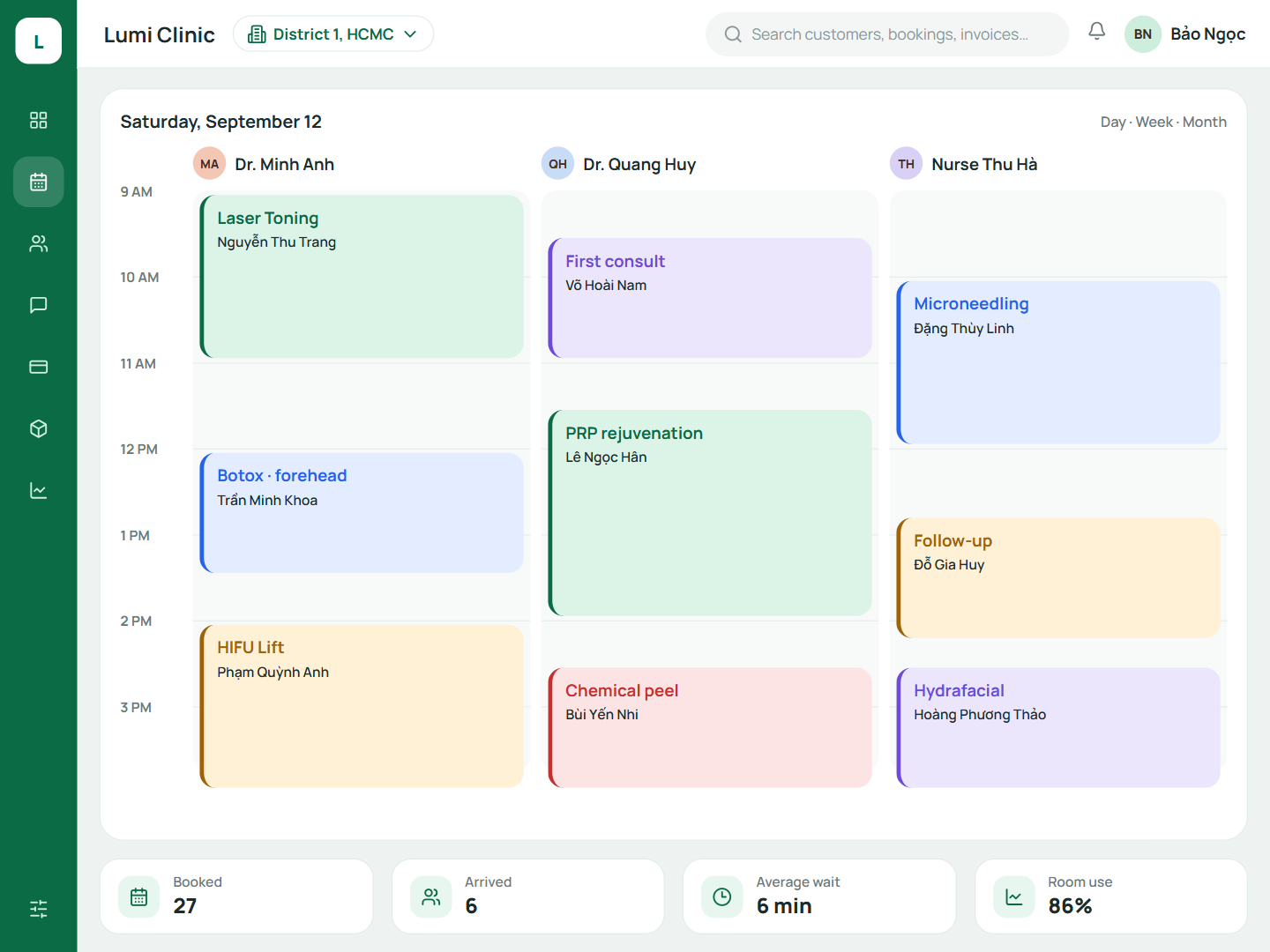
One screen doesn't mean cramming every piece of information into a cluttered interface. It means that everyone who opens the software immediately sees the work that belongs to them, and can drill down with a single click when they need more detail.
Role | What they see on their workspace | What they don't need to see |
|---|---|---|
Front desk | Open slots, upcoming arrivals, payment status | Photos and treatment notes |
Consultant | Assigned conversations, customer needs, next follow-up step | Outstanding balances across the whole business |
Therapist, doctor | Customers on their shift, treatment history, allergy notes | Branch revenue |
Branch manager | The full day's schedule, who is overloaded, unconfirmed customers | Data from other branches |
Chain owner | Revenue, trends and key metrics by branch | Details of each individual ticket |
This split helps your staff work faster, and it also acts as the first layer of data protection. A front desk employee who never sees treatment photos cannot leak them by accident. Our article on customer data security and permissions for aesthetic clinics explains how to design permissions by role and by branch.
How to choose spa management software: 7 criteria
Features may look identical on paper and still feel very different in real use. The seven criteria below let you compare vendors against the same yardstick, so you are judging how the software will work in your spa rather than how well it is presented.
Criterion | How to check | Warning signs |
|---|---|---|
Fits your business model | Ask about current customers with the same model as yours (single location or chain) | Only has examples from other industries |
Your data belongs to you | Ask how you can export all of your customer data if you stop using the software | Data can't be exported, or there is a fee to export it |
Security and permissions | Try logging in with a front desk account | Every account sees everything |
Messaging channels | Check the exact channels you use most | Zalo integration is only "coming soon" |
Total cost | Ask for a first-year quote that includes every charge | Setup, data migration or additional branch fees aren't mentioned |
Implementation and training | Ask who will train your staff, and over what period | They only send you documentation to read on your own |
Trial on your real workflow | Run one real customer journey from your spa | You only get to see a pre-built demo |
On cost, ask clearly whether the software is priced per branch, per user account or per feature tier, and what extra charges apply, such as setup fees, data migration fees and fees for sending appointment reminder messages. Comparing the total first-year cost is fairer than comparing monthly subscription prices, because a low monthly fee can hide significant one-off and usage-based charges.
A 4-week rollout plan that won't disrupt operations
The most common mistake is moving everything onto the new software in a single day. The plan below is a suggestion for a spa with one to three branches; you can stretch any step if your team needs more time.
Week 1 – Pick your first journey. Map out your current process and choose the journey that repeats most often each day, which is usually the path from a price enquiry message to the first appointment. Appoint one person on your team to lead the rollout.
Week 2 – Set up the foundations. Enter your service catalog, price list, staff and permissions. Import customers who are partway through a treatment package or still have an outstanding balance first.
Week 3 – Go live at one branch. Every new customer and every new appointment at that branch goes through the software. Log any issues each day and resolve them within the week.
Week 4 – Expand and start measuring. Roll out to the remaining branches, then start tracking the 7 spa management KPIs in your start-of-week meeting.
If you want to standardize each step of the customer journey before moving it onto software, our article on the aesthetic clinic operations process includes a responsibilities table and a checklist for every step.
4 common mistakes when switching to spa management software
Migrating all your old data in one go. This drags on for weeks and wears your team down. Import customers by priority group and add the rest gradually.
Letting staff keep consulting through their personal accounts. Your data still slips outside the system, even though you are paying for software.
Choosing the software with the longest feature list. A tool with fewer features that your team uses every day is worth more than a comprehensive system that nobody opens.
Having no internal owner. The vendor can provide technical support, but changing habits has to be led by someone inside the spa.
If you run several branches, Qub-X is an option built specifically for spas and aesthetic clinics. It brings the multichannel inbox, appointments, customer records, treatment packages, commission and branch-level reporting together in one system.
Frequently asked questions
Does a small, Single-Branch spa need management software?
Yes, if your spa already sells prepaid treatment packages or has two or more consultants. That is when data starts to scatter and disputes over remaining sessions begin to appear.
How much does spa management software cost?
Pricing depends on the number of branches, the number of user accounts and the feature tier, so every vendor charges differently. Ask for a quote covering the total first-year cost, including setup, data migration and reminder messages, before you compare.
Is it hard to move data from Excel into the software?
Not if you don't try to move everything at once. Start with customers who are partway through a treatment package, customers with an outstanding balance and your loyal regulars; other past customers can be added gradually as they come back.
How is spa management software different from Point-of-Sale software?
Point-of-sale software revolves around invoices and inventory. Spa management software revolves around customers and appointments: multi-session treatment packages, therapists, rooms, aftercare and per-service commission.
Related articles
All articles on Staff & commission- Staff & commission
Spa customer records: bring scattered customer data into one place
When consultation notes live in chat, treatment history in a notebook and payments in a spreadsheet, a spa loses more than search time. What should a customer record hold, and how do you bring it all into one place?
- Staff & commission
Aesthetic clinic operations: a 7-step process and SOP checklist
Having enough staff yet always feeling short-handed is usually a sign of a fragmented process. Here are 7 standard steps from intake to follow-up visit, with a responsibilities table and a checklist for each step.
- Electronic medical records
EMR for Aesthetic Clinics: Which Facilities Must Implement by December 31, 2026, and How to Prepare
Under Circular 13/2025/TT-BYT, aesthetic and dermatology clinics licensed to provide medical examination and treatment must complete the implementation of electronic medical records by December 31, 2026. This article summarizes which facilities are in scope, what to prepare, and how Qub-X is building its EMR feature.