
Features Customer records

One record per customer: packages, notes, photos and balances

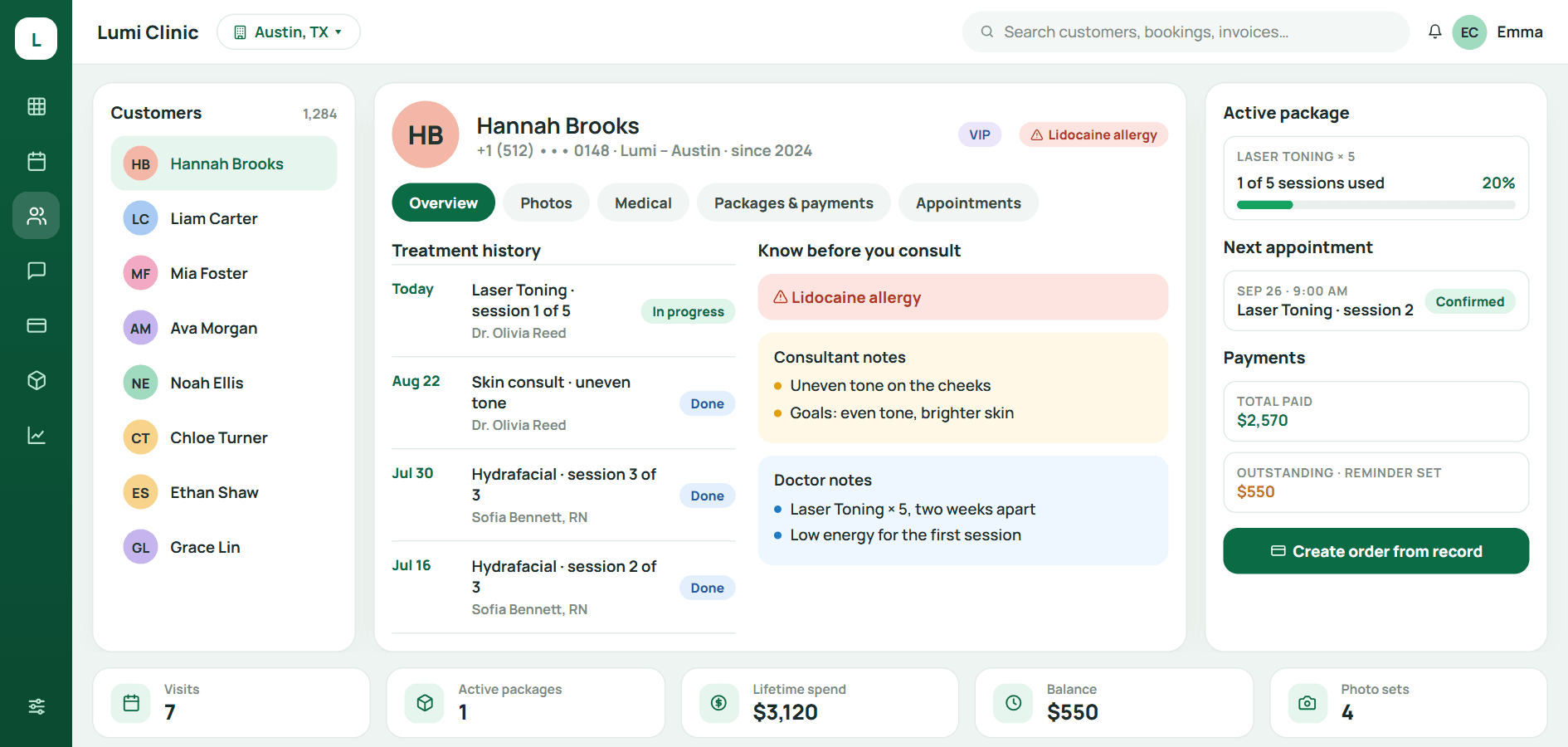
Open a record and you see allergies, sessions left, consultant and doctor notes, before / after photos and payments. Enough to consult and create the order on the spot.

  • One record is enough to consult
  • Before / after photos in the record
  • Packages, balances, consent forms
  • Auto-save, no Save button
Customer record in Qub-X CRM
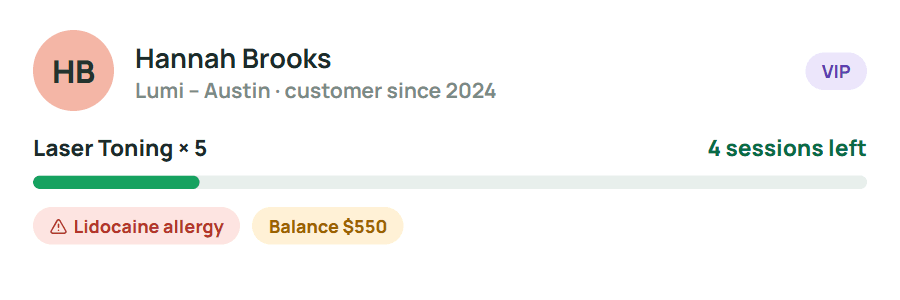
Customer summary
Customer summary: sessions left, allergy, balance
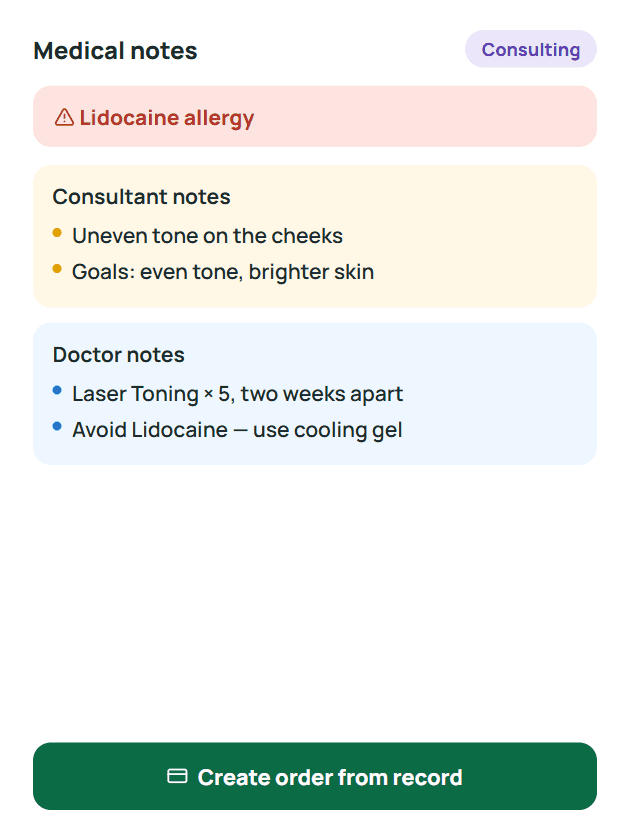
Medical notes
Allergy alert, consultant and doctor notes

Versus the old way

One consultation: 5 places to look → 1 record.

Everything the doctor needs for a visit is already in the customer record. No notebooks, no Excel, no asking who has the photos.

  • Fewer stepsOpen the record for remaining sessions, medical notes and the appointment. Create the order from there.
  • No page reloadsEdit a note, add photos, change the status, saved instantly.
  • Never ask the customer againAllergies, history and last visit's photos show the moment the record opens, even for new staff.

The usual way

  1. 1Flip through a notebook for treatment history
  2. 2Open Excel to count remaining sessions
  3. 3Open the till software to check the balance
  4. 4Ask a colleague which phone has last time's photos
  5. 5Dig the consent form out of a filing cabinet

5 places, at least one question

With Qub-X

  1. 1Open the customer record
  2. 2Consult, note, add photos, create the order, in place

1 record, everything in one place

The problem

When a customer returns after three months, the new staff member knows nothing about them.

History sits in a notebook, photos on the phone of someone who left, remaining sessions in Excel. The customer retells everything, and every retelling costs trust.

  • Records scattered across devices and people
  • Staff leave and take the customer history with them
  • Doctors consult without seeing last time's photos

The usual way

  1. 1Flip through a notebook for treatment history
  2. 2Open Excel to count remaining sessions
  3. 3Open the till software to check the balance
  4. 4Ask a colleague which phone has last time's photos
  5. 5Dig the consent form out of a filing cabinet

5 places, at least one question

What stands out

When the customer arrives, one record is enough to consult.

Consultant and doctor notes are kept separately for every visit, and allergies and alerts always sit at the top of the record. Before / after photos are one tab away, sorted by date.

  • Allergies, history and medication shown first
  • Consultant and doctor notes kept separately per visit
  • Aftercare sent on Zalo and logged in the record
See the before / after photos tab

Saves 5 places to look, no re-asking

When a customer asks how many sessions are left and what they owe, the answer is on one screen.

Active packages, completed packages, payment history, balances with reminders and signed consent forms share one tab. Use a session and the count drops; collect a payment and the balance drops.

5 places, at least one question1 record, everything in one place
  • Sessions used / remaining per package
  • Balances with reminders, settled straight from the record
  • Signed consent forms stored with the customer

Easy to use

When a new receptionist starts, one shift is enough.

There is no Save button to forget. One tab per kind of information, named the way clinics already talk. Drop photos in and they sort themselves by date and by Before / After.

  • Every change saves itself, no reloads
  • Find customers by accent-free name or phone number
  • Drag photos in, sorted by date and Before / After

Three questions front desks and consultants ask

What is inside a customer record?
Overview, before / after photos, medical notes, packages and payments, consent forms, appointments and customer analysis. One tab each, one record.
Do I have to press Save after every edit?
No. Notes, services, staff and status save the moment they change.
Who can see a customer's medical notes and photos?
Access follows role and branch: the front desk, consultants and doctors see only what they need, and every action is logged.

BOOK A DEMO

See how Qub-X fits the way your clinic works.

Share how your clinic operates. The Qub-X team will prepare a demo focused on your workflow and needs.

A 30-minute demo based on a real clinic scenario
Focus on the features you care about
No commitment required after the demo

Your demo can focus on

SchedulingInboxPaymentsReports
Which areas do you want to review?

The Qub-X team will contact you to confirm a suitable time.