
01 - Capture
Collect messages
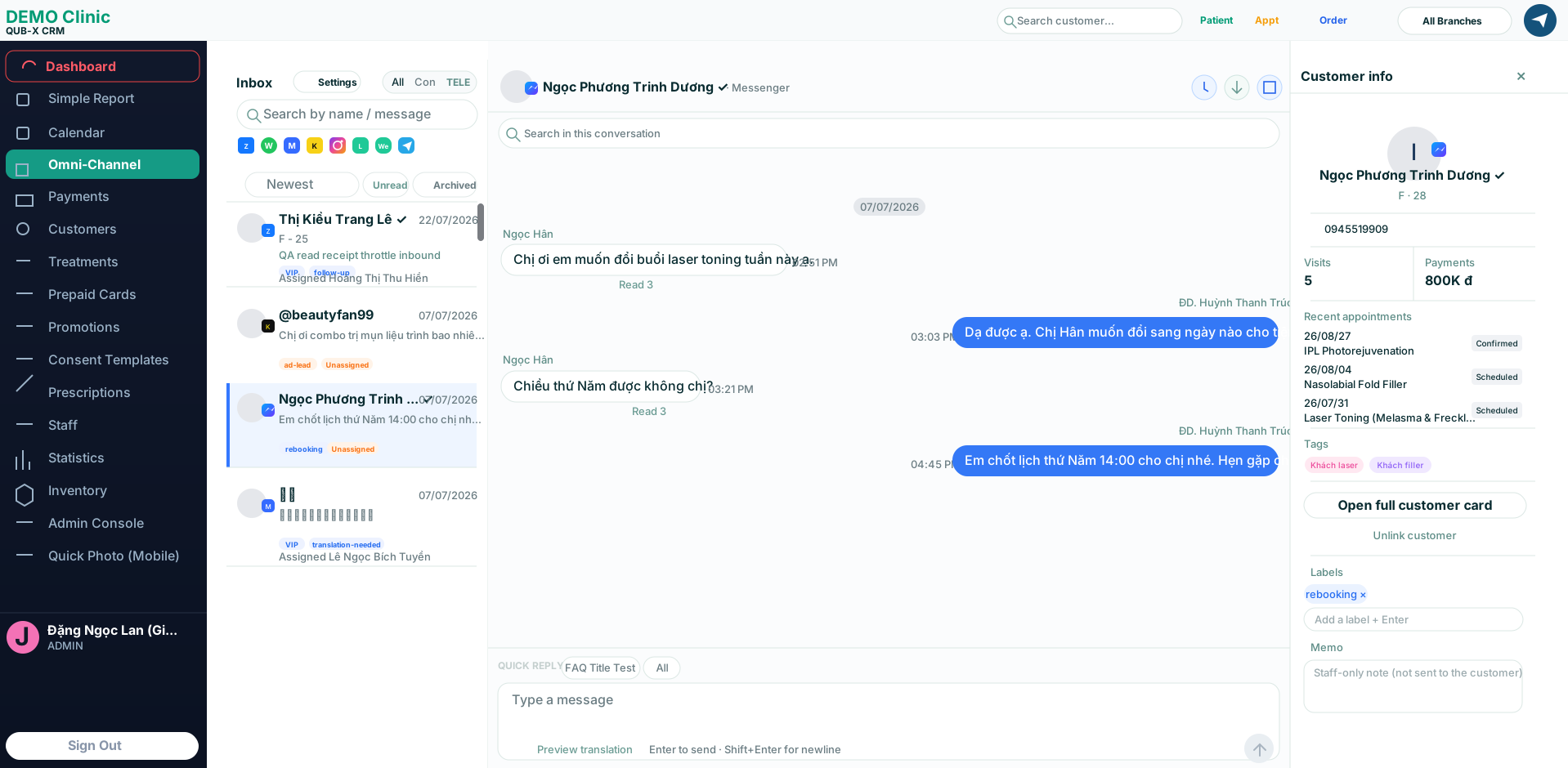
Messages from 9 channels arrive in one inbox and are grouped by new/unread status.
Feature / Omni Channel
9 channels - 1 workspaceQub-X connects multi-channel conversations with customer records, scheduling and care workflows so teams respond faster, keep every lead visible and act with context.
Connect the channels customers already use:








messaging channels
unified inbox
customer record
lost context
One continuous workflow
Every care step lives in one workspace, with clear ownership and full history so the next teammate can continue in context.
01 - Capture
Messages from 9 channels arrive in one inbox and are grouped by new/unread status.
02 - Classify
Mark intent, assign ownership and route work by role.
03 - Care
See records, appointments, notes and care data beside the conversation.
04 - Convert
Create an appointment, choose branch and assign staff without leaving the inbox.
Real product - contextual data
Sort by channel, status, tag and owner so teams act in the right order.
Templates, internal notes and message history stay side by side.
Latest appointment, notes, memo and care data appear in the customer card.
Operating advantages
One conversation list for every channel, so teams do not miss messages.
Unread, unassigned or time-sensitive leads stay visible.
Assign conversations, tag intent and see who is responsible.
Patient info, appointments, treatment records and care history in one flow.
Turn a conversation into an appointment without leaving the inbox.
Support international teams with one shared clinic workflow.
One continuous workflow
Qub-X puts the right information beside every message so teams know what customers need, who owns the case and what should happen next.
See Omni Channel in action
Book a 30-minute demo and review your clinic's current customer care workflow with the Qub-X team.